




TABLE OF CONTENTS
Ecommerce Platform Migration: Engineering Checklist Before You Switch

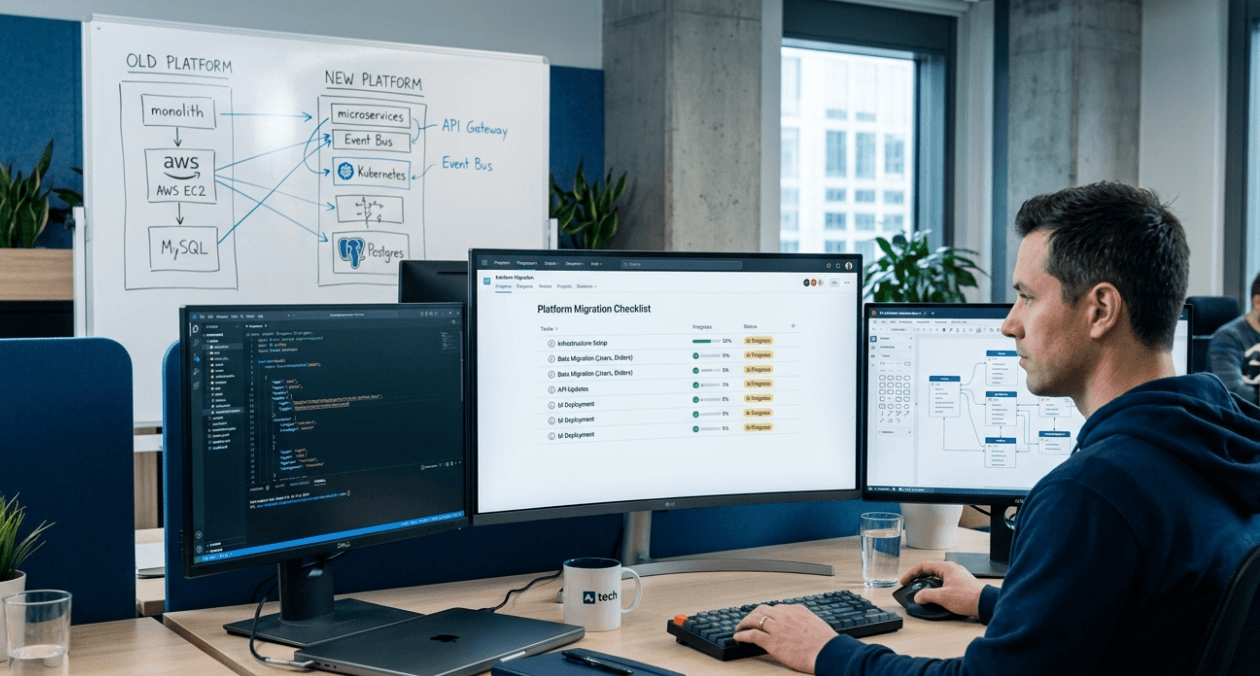
Switching your ecommerce platform is one of the most consequential engineering decisions a team can make. Done well, it unlocks better performance, cleaner architecture, and a foundation that scales with the business. Done poorly, it causes data loss, broken customer journeys, SEO rank drops, and sometimes weeks of downtime that cost far more than the migration ever saved.
The problem is that most platform migrations are approached as product decisions first and engineering decisions second. Leadership picks a new platform, signs a contract, and then hands it to the engineering team with a timeline that was drawn up before anyone fully understood the technical scope. This is where migrations go wrong.
This checklist is built for engineering managers and CTOs who want to approach ecommerce replatforming the right way: with a structured pre-migration audit, clearly defined ownership, and a set of gates that must pass before anything goes live.
1. Define the Migration Scope Before Writing a Single Line of Code
The first thing an engineering team needs is a hard boundary around what is included in the migration. Scope creep is the single most common cause of delayed ecommerce migrations, and it almost always starts with ambiguity at the beginning.
Map every component of the current system: the storefront, the product catalog, the checkout flow, the order management system, integrations (payment gateways, shipping providers, ERP, CRM, email platforms), and any custom business logic built on top of the existing platform. For each one, decide explicitly whether it is being migrated as-is, rebuilt from scratch, replaced by a new integration, or deprecated.
Document this scope formally and get sign-off from stakeholders before any engineering work begins. Any request to add scope mid-migration should trigger a formal change assessment, not just a verbal agreement.
Plan your migration right
2. Conduct a Full Data Audit of Your Current Platform
Before you can migrate data, you need to understand exactly what data exists and in what shape it is in. This audit is often skipped or done superficially, and it always causes problems downstream.
What to Audit
- Product catalog: total SKU count, variant structure, attribute sets, media files, and any product data that lives outside the standard schema in custom tables or fields
- Customer records: total customer count, account structure, address books, saved payment methods (noting that actual card data cannot be migrated due to PCI compliance and must be re-entered or re-vaulted with the new payment provider)
- Order history: total order count, order statuses, line item data, and any fulfilment or returns data that needs to remain accessible post-migration
- CMS content: blog posts, landing pages, static pages, and any SEO metadata attached to content pages
- URL structure: every existing URL that receives organic traffic or is linked externally
- Custom logic: promotions, discount rules, tax configurations, shipping rules, and any custom extensions that implement non-standard business logic
The output of this audit should be a data manifest: a structured document listing every data entity, its volume, its quality (including known gaps or inconsistencies), and the planned migration approach for each.
3. Protect Your SEO Before Touching Any URLs
Ecommerce migrations have a well-documented pattern of causing significant organic traffic drops, sometimes permanent ones, when URL structures change without proper redirects. This is one of the most expensive mistakes in platform migration and one of the most preventable.
SEO Pre-Migration Checklist
- Export the full list of indexed URLs from Google Search Console for your current domain
- Crawl the site with a tool like Screaming Frog to capture every internal URL regardless of indexing status
- Document the URL pattern for every content type: product pages, category pages, blog posts, and static pages
- Identify which URL patterns are changing on the new platform and build the redirect map before migration begins
- Plan 301 redirects for every URL that is changing, with no exceptions for pages receiving organic traffic
- Capture current ranking positions and organic traffic volumes as a baseline for post-migration monitoring
| SEO Element | Pre-Migration Action |
| Indexed URLs | Export from Search Console, crawl with Screaming Frog |
| Page titles and meta descriptions | Export and map to new platform fields |
| Canonical tags | Document current setup, replicate on new platform |
| Structured data markup | Record all existing schema, plan rebuild on new stack |
| Internal linking structure | Note changed URL patterns, update during content migration |
4. Map Every Third-Party Integration
A typical mid-market ecommerce store has between eight and fifteen active integrations at any given time. Each one needs to be assessed individually before migration begins.
For each integration, document the current connection method (native plugin, API integration, webhook, or middleware), the data that flows through it, the direction of that data flow, and whether the new platform supports the same integration natively or requires a rebuild. Some integrations will have official plugins for the new platform. Others will need to be rebuilt using APIs. A few may not be compatible at all, requiring a replacement tool.
If your migration involves moving to a headless architecture, the integration layer becomes considerably more complex. The Askan Tech ecommerce development team has worked through this integration mapping process for multiple platform migrations and can help identify compatibility gaps early.
5. Plan and Test the Data Migration Pipeline
The data migration itself is where most technical risk sits. The approach varies depending on the volume of data and the platforms involved, but the core principle is always the same: migrate data multiple times before the actual cutover, using production-representative data each time.
Migration Dry Runs
Run at least two full dry runs of the migration pipeline before the live cutover date. The first dry run reveals structural problems: missing fields, incompatible formats, broken relationships between data entities. The second run, after fixes from the first, should closely simulate the real migration in terms of speed, data completeness, and error rate.
Record the time it takes to complete each dry run. This gives you a realistic estimate of the downtime window needed for the actual cutover, which directly impacts when you can schedule it.
Data Validation Gates
- Product count on new platform matches source platform
- Random sample of 50 to 100 products manually verified for accuracy including images, variants, and pricing
- Customer record count matches with no duplicate accounts created
- Order history is complete and orders display correctly in the new admin
- All redirects are in place and returning 301 status codes
- No broken image links across product catalog
| Data Entity | Validation Method |
| Products | Count match + manual spot check of 1% sample |
| Customers | Count match + test login on migrated accounts |
| Orders | Count match + verify recent 30-day order display |
| CMS content | URL crawl post-migration, check for 404s |
Plan your migration right
6. Rebuild and Test the Checkout Flow End to End
The checkout is the most critical functional area of any ecommerce platform. A broken checkout means zero revenue, and bugs in this area often only surface under specific conditions such as certain payment methods, specific delivery zones, or edge cases in discount application.
Test every payment method your store currently accepts on the new platform, in a staging environment that mirrors production as closely as possible. This includes credit and debit cards through your primary gateway, UPI if relevant to your market, wallets, and any buy-now-pay-later options. Test with real payment credentials in sandbox mode, not just mock data.
Walk through the complete checkout journey for multiple order types: single-item orders, multi-item orders with variants, orders with discount codes, orders with multiple shipping addresses if applicable, and guest checkout versus logged-in checkout. Document the result of each test case before signing off on the checkout readiness.
For teams considering Medusa.js as the new platform, the Askan Tech Medusa.js development practice has detailed experience building and testing checkout flows on the platform, including custom payment provider integrations for the Indian market.
7. Performance Benchmarks Before Go-Live
Your new platform needs to be measurably faster than the old one before you cut over. Not faster on paper or in theory, but faster on actual pages with real product data loaded.
Run Lighthouse and Web Vitals tests on the staging environment using representative pages: the homepage, a category page with 48 to 96 products, a product detail page with multiple images and variants, and the cart and checkout pages. Record LCP, INP, and CLS scores for each. Set a minimum acceptable threshold for each metric before the migration is approved to proceed.
Minimum Performance Gates
- LCP under 2.5 seconds on mobile for product and category pages
- INP under 200 milliseconds on interactive pages including cart and checkout
- CLS score below 0.1 on all page types
- Time to First Byte under 800 milliseconds from Indian server locations
- Core Web Vitals passing status in Google Search Console simulation
8. Cutover Planning and Rollback Protocol
Even with thorough testing, migrations carry risk. The cutover plan needs to include a clearly defined rollback procedure with a time threshold: if a defined set of critical issues are not resolved within a specified window after go-live, the team reverts to the old platform.
Schedule the cutover during your lowest-traffic window, typically between midnight and 6 AM on a Tuesday or Wednesday. Avoid Friday cutovers as they leave the weekend as recovery time if problems arise, often without full team availability.
Maintain the old platform in a read-only state for at least 48 to 72 hours after go-live. Do not decommission it immediately. If a data issue is discovered post-launch, the old platform is your source of truth for recovery.
| Cutover Phase | Responsible Owner | Duration Estimate |
| DNS update and propagation | DevOps lead | 30 to 60 minutes |
| Final data delta sync | Backend engineer | 1 to 3 hours |
| Smoke test on live environment | QA lead | 45 minutes |
| Payment gateway verification | Backend + finance | 30 minutes |
| Monitoring and alerting active | SRE / DevOps | Ongoing |
9. Post-Migration Monitoring Protocol
The work does not end at go-live. The first 72 hours after a platform migration are when the majority of edge-case issues surface. Assign dedicated engineering coverage during this window with a clear escalation path for any issue that affects orders, checkout, or customer account access.
Set up dashboards before the cutover that track the metrics you care about in real time: order volume per hour, payment success rate, cart abandonment rate, 4xx and 5xx error rates, server response times, and Core Web Vitals scores. Any significant deviation from pre-migration baselines should trigger an immediate investigation.
The Askan Tech success stories section includes case studies of ecommerce builds and migrations that cover the end-to-end engineering process from audit through to post-launch monitoring.
10. Common Migration Mistakes Engineering Teams Make
- Skipping the data audit and discovering data quality problems only after migration begins
- Building the redirect map after migration rather than before, causing indexing gaps
- Testing checkout only with mock payment data instead of real sandbox transactions
- Cutting over without a defined rollback threshold and procedure
- Decommissioning the old platform too quickly before data integrity is confirmed
- Not having real-time monitoring in place before the cutover begins
- Underestimating the time needed to migrate custom business logic built on the old platform
For an external reference on ecommerce replatforming risk management, the Gartner research on digital commerce platform selection and migration covers stakeholder alignment and technical risk framing well. Separately, Medusa.js maintains thorough migration documentation for teams moving from Shopify, WooCommerce, or Magento onto the headless stack.
Platform migrations reward preparation above everything else. Every hour spent on the pre-migration checklist above typically saves several hours of incident response after go-live. The teams that migrate well are not the ones with the most engineers working hardest during the cutover window. They are the ones who treated every gate in this checklist as non-negotiable before the cutover was ever scheduled.
Plan your migration right
Most popular pages
-

Image Optimization for Web Performance: Formats and Compression
Ask a developer why a page feels slow, and the honest answer is often sitting right in the middle of it. A single unoptimised...
-

Monolith vs Microservices: Choosing the Right Architecture for Your Team
Microservices have dominated architecture conversations for years, to the point where choosing a monolith can feel like admitting you're behind the times. In practice,...
-

Magento Performance Tuning: Caching Layers Explained
Magento has a reputation for being resource-heavy, and while some of that is inherent to running a full-featured enterprise commerce platform, a large share...
Image Optimization for Web Performance: Formats and Compression
Ask a developer why a page feels slow, and the honest answer is often sitting right in the middle of it. A single unoptimised...
Monolith vs Microservices: Choosing the Right Architecture for Your Team
Microservices have dominated architecture conversations for years, to the point where choosing a monolith can feel like admitting you're behind the times. In practice,...
Magento Performance Tuning: Caching Layers Explained
Magento has a reputation for being resource-heavy, and while some of that is inherent to running a full-featured enterprise commerce platform, a large share...