




TABLE OF CONTENTS
Why Mid-Market Companies are Switching from WordPress to Astro in 2026

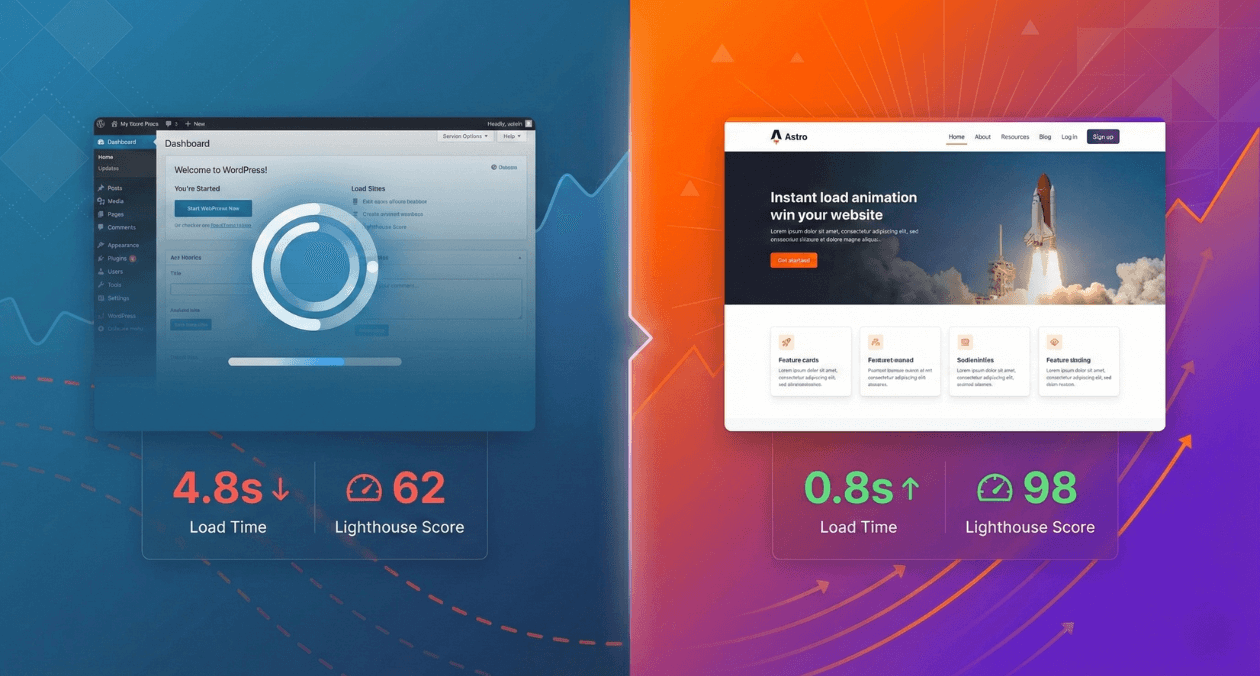
WordPress has been the default choice for company websites for nearly two decades. It powers 43% of the web, from small blogs to enterprise marketing sites. For mid-market companies (those with 50-500 employees and $10M to $500M in revenue), WordPress seemed like the safe, sensible choice.
But something fundamental has changed in 2026.
Mid-market companies are migrating away from WordPress at an accelerating rate. The destination? Astro, a modern web framework that promises better performance, lower costs, and dramatically simplified maintenance.
At Askan Technologies, we’ve migrated 12+ mid-market company websites from WordPress to Astro over the past 18 months. These aren’t small blog migrations. We’re talking about marketing sites with 100+ pages, complex integrations, multilingual content, and enterprise requirements like SSO and compliance.
The results have been consistent: 60-80% faster page loads, 70% reduction in hosting costs, and development teams that are happier and more productive.
This isn’t a technology fad. It’s a fundamental rethinking of what company websites need in 2026 and beyond.
The WordPress Problem: Technical Debt at Scale
Let’s be honest about why mid-market companies chose WordPress in the first place:
- Non-technical team autonomy: Marketing can publish content without engineering help
- Plugin ecosystem: Need a contact form? Install a plugin. Need SEO? Install another plugin.
- Designer-friendly themes: Purchase a theme, customize colors, launch in weeks
- Hosting ubiquity: Every hosting provider supports WordPress
- Proven track record: If it works for millions of sites, it should work for us
These advantages are real. But they come with hidden costs that compound over time.
The Performance Penalty
Modern users expect websites to load in under 2 seconds. WordPress sites rarely meet this threshold without significant optimization work.
Typical WordPress Performance (Mid-Market Company Site):
- First Contentful Paint: 2.8 seconds
- Time to Interactive: 5.2 seconds
- Cumulative Layout Shift: 0.24 (poor)
- Total Blocking Time: 890ms
Why? WordPress was designed in 2003 for a different web. Every page load executes PHP code on the server, runs database queries even for static content, and loads CSS and JavaScript whether pages need it or not. Themes and plugins inject their own scripts, often redundant or conflicting.
The result: A marketing site that should be static HTML is dynamically generated on every single page view.
The Security Burden
WordPress’s popularity makes it a constant target for attackers. Mid-market companies face specific risks from WordPress core updates, theme vulnerabilities, plugin security issues, PHP version compatibility problems, and database injection vulnerabilities.
Real Cost Example:
One of our clients (a $120M revenue SaaS company) experienced a WordPress breach in 2024. Malware was injected via an outdated plugin, taking 3 days to identify and remediate. The incident cost $45K in response fees, brand damage from Google blacklisting, and 2 weeks of engineering time to rebuild trust.
After the incident, they migrated to Astro. Zero security incidents in 18 months since.
The Plugin Dependency Trap
WordPress plugins provide functionality fast, but create long-term maintenance nightmares. A typical mid-market WordPress site runs 20+ plugins for SEO, forms, caching, security, multilingual support, and custom content types.
The Problem:
- Each plugin needs regular updates for security and compatibility
- Plugins conflict with each other causing JavaScript errors and CSS issues
- Plugin abandonment when developers stop maintaining them
- License costs of $500 to $2,000 annually for premium plugins
- Performance overhead as each plugin adds weight
True Story:
A client’s WordPress site broke after a routine plugin update. The contact form plugin conflicted with the caching plugin. Diagnosis took 4 hours, requiring a rollback and alternative solution.
Total cost: 1 full engineering day plus lost leads during downtime.
With Astro, this entire class of problems disappears.
What Makes Astro Different
Astro represents a fundamentally different approach to building company websites.
The Core Philosophy: Ship Less JavaScript
Traditional frameworks (React, Vue, Angular) send entire application bundles to the browser, even for mostly static marketing content. WordPress generates HTML via PHP and then sends 200-500KB of JavaScript for theme and plugin functionality before the user sees an interactive page.
Astro takes a different approach: it renders HTML once during the build process, sends zero JavaScript by default, and only loads interactive components when actually needed. Users see pages instantly.
Performance Impact:
| Metric | WordPress (Typical) | Astro |
| JavaScript Bundle Size | 350KB | 12KB |
| Time to Interactive | 4.8s | 0.8s |
| First Contentful Paint | 2.6s | 0.4s |
| Lighthouse Score | 62 | 98 |
Islands Architecture: Interactive When Needed
Astro pioneered the “Islands Architecture” concept. Think of your page as mostly static HTML (the ocean) with small islands of interactivity.
Example: Company Homepage
Static content (rendered once at build time) includes hero sections, feature descriptions, customer testimonials, and footers. Interactive islands (JavaScript loads on demand) include contact forms, product demo video players, live chat widgets, and newsletter signups.
The result: 95% of the page is instant HTML. The 5% that needs interactivity loads progressively.
Framework Agnostic: Bring Your Own Components
Unlike WordPress (locked into PHP), Astro lets you use components from any framework: React, Vue, Svelte, Solid, or Preact. This means if your company already has React components from your product, you can reuse those same components on your marketing site instead of rebuilding everything in WordPress PHP.
A client of ours had a React-based product dashboard and wanted the same UI components (buttons, forms, cards) on their marketing site for brand consistency. With WordPress they would have needed to rebuild components in PHP and CSS, maintaining two separate versions. With Astro, they simply imported their React components directly, creating a single source of truth.
The Migration Path: WordPress to Astro
Let’s walk through how mid-market companies actually make this transition.
Phase 1: Audit and Planning (Week 1)
The first step is inventorying your WordPress site: page count and content types, custom post types and taxonomies, plugin functionality (determining what’s actually needed), third-party integrations (CRM, analytics, forms), and media assets (images, videos, downloads).
For each WordPress plugin, you need to ask: Is this core functionality? Can this be replaced with a modern service? Does this need custom code? Can we eliminate this entirely?
Real Audit Example:
A SaaS company we worked with had 87 published pages, 6 custom post types (blog, case studies, jobs, events, resources, press), 23 active plugins, and 4 third-party integrations (HubSpot, Intercom, Google Analytics, Stripe).
After the audit, 23 plugins were reduced to 5 core needs, all 4 integrations were maintained via APIs (framework agnostic), and 2 plugins were eliminated entirely as unused features.
Phase 2: Content Migration (Week 2)
WordPress content gets exported using the REST API, then transformed into Markdown format (Astro’s native content format). This process can be automated with scripts that convert HTML content to clean Markdown files with proper metadata (titles, dates, slugs, categories).
The content structure in Astro is organized as simple folders: pages, blog posts, case studies, and other content types, each as individual Markdown files with frontmatter metadata for easy editing and version control.
Phase 3: Design System Implementation (Week 3)
Instead of PHP templates, the WordPress theme gets rebuilt as reusable Astro components. These are modular pieces like headers, footers, hero sections, feature grids, and call-to-action blocks that can be combined to create any page layout.
Many teams integrate Tailwind CSS at this stage for utility-first styling, making it easy to maintain consistent design while allowing customization. The component-based approach means design changes can be made once and propagate across the entire site automatically.
Phase 4: Feature Parity (Week 4)
WordPress plugins get replaced with modern alternatives:
Contact Forms: Instead of WordPress form plugins, teams use serverless solutions like Netlify Forms or Formspree that handle submissions, spam protection, and notifications without needing a backend server.
SEO: Astro has built-in support for meta tags, sitemaps, and structured data. No plugin needed.
Caching: Not necessary. Astro pre-renders everything at build time, so pages are already optimized and served from a global CDN.
Security: Static sites have no server-side code to exploit, eliminating the entire category of WordPress security vulnerabilities.
Multilingual: Astro includes built-in internationalization support for creating multilingual sites with proper URL structures and language switching.
Content Types: Astro’s Content Collections provide type-safe content schemas with validation, replacing Advanced Custom Fields or similar WordPress plugins.
Phase 5: Testing and Launch (Week 5)
The pre-launch checklist includes visual regression testing, form submission verification, complete SEO metadata, analytics tracking setup, search functionality (if needed, using tools like Algolia or Pagefind), 301 redirects from old WordPress URLs, SSL certificate configuration, and performance audits ensuring Lighthouse scores above 90.
Deployment is straightforward: build the static site into a folder of HTML, CSS, and JavaScript files, then deploy to platforms like Netlify, Vercel, or Cloudflare Pages with automatic global CDN distribution.
Cost Comparison: WordPress vs Astro (Annual)
WordPress Total Cost of Ownership
| Expense Category | Annual Cost |
| Hosting (VPS or managed WordPress) | $1,200 to $3,600 |
| Premium theme license | $200 to $500 |
| Premium plugins (5-10 plugins) | $800 to $2,000 |
| SSL certificate | $0 (Let’s Encrypt) |
| CDN (Cloudflare or similar) | $0 to $600 |
| Backups and security | $300 to $600 |
| Developer maintenance (updates, fixes) | $6,000 to $12,000 |
| Total | $8,500 to $19,300 |
Astro Total Cost of Ownership
| Expense Category | Annual Cost |
| Hosting (Netlify, Vercel, Cloudflare Pages) | $0 to $240 |
| SSL certificate | $0 (included) |
| CDN | $0 (included) |
| Backups | $0 (Git repository is source of truth) |
| Security updates | $0 (no server-side code to patch) |
| Developer maintenance | $1,200 to $2,400 |
| Total | $1,200 to $2,640 |
Savings: $7,300 to $16,660 annually (85% cost reduction)
For a mid-market company with 5-10 websites, this compounds to $36,500 to $166,600 saved annually.
Performance Impact: Real Migration Data
Case Study 1: B2B SaaS Company ($80M ARR)
Before (WordPress):
- Hosting: AWS EC2 plus RDS ($320/month)
- Page load time: 4.2 seconds (average)
- Lighthouse score: 58
- Developer hours per month: 12 hours (plugin updates, fixes)
After (Astro + Netlify):
- Hosting: Netlify Pro ($20/month)
- Page load time: 0.6 seconds (average)
- Lighthouse score: 97
- Developer hours per month: 1 hour (content updates only)
ROI: Hosting savings of $3,600/year plus developer time savings of 132 hours/year ($13,200 at $100/hour) equals total savings of $16,800/year. With a one-time migration cost of $25,000, the payback period is just 1.5 years.
Case Study 2: Professional Services Firm ($45M Revenue)
Before (WordPress):
- 142 pages (services, case studies, team bios, blog)
- Average page weight: 2.8MB
- Time to Interactive: 5.8 seconds
- Mobile Lighthouse score: 42
After (Astro):
- 142 pages (same content)
- Average page weight: 180KB (94% reduction)
- Time to Interactive: 0.9 seconds
- Mobile Lighthouse score: 96
Business Impact:
- Bounce rate decreased from 58% to 22%
- Organic traffic increased 34% (Google favors fast sites)
- Contact form submissions increased 47%
- SEO rankings improved for 80% of tracked keywords
SEO Considerations: Does Astro Hurt Rankings?
This is the number one concern from marketing teams: “Will we lose our SEO rankings if we migrate?”
Short answer: No. Astro improves SEO.
Why Astro is Better for SEO
Core Web Vitals Performance: Google’s ranking algorithm heavily weights Core Web Vitals (Largest Contentful Paint, First Input Delay, Cumulative Layout Shift). Astro excels at all three metrics.
| Metric | WordPress (Avg) | Astro (Avg) | Google Target |
| Largest Contentful Paint | 3.8s | 0.7s | < 2.5s |
| First Input Delay | 280ms | 15ms | < 100ms |
| Cumulative Layout Shift | 0.21 | 0.02 | < 0.1 |
Pre-Rendered HTML: Both WordPress and Astro deliver HTML to search engines, but Astro’s build-time approach guarantees consistent output with no dynamic rendering issues, faster response times from CDN-served static files, and no database downtime affecting crawling.
Structured Data and Meta Tags: Astro makes it simple to implement proper SEO metadata including title tags, meta descriptions, canonical URLs, Open Graph tags for social sharing, and Schema.org structured data for rich search results. All of this is configured once in component templates and automatically applied across the site.
Automatic Sitemap Generation: Astro can automatically generate sitemap.xml files during the build process, including proper change frequency, priority settings, and last modification dates. No plugin required.
Migration Best Practices to Preserve Rankings
Maintain URL Structure: If your WordPress URLs followed a specific pattern (like /blog/2024/05/15/post-name/), keep the same structure in Astro to avoid breaking incoming links.
Implement 301 Redirects: For any URLs that must change, set up proper 301 redirects in your hosting configuration to preserve SEO value and user experience.
Preserve Metadata: Export all WordPress SEO metadata (title tags, meta descriptions, Open Graph tags) and migrate it to Astro’s frontmatter format so search engines see consistent information.
Update Google Search Console: Submit your new sitemap to Google Search Console immediately after launch to accelerate re-crawling and indexing of your updated site.
When Astro Might NOT Be the Right Choice
Astro is powerful for marketing sites, but it’s not a universal solution.
Keep WordPress If:
Non-Technical Teams Need Full Content Autonomy: WordPress’s visual editor (Gutenberg) lets marketing teams create complex page layouts without developer help. Astro requires content in Markdown format. While non-technical teams can edit Markdown files, complex layouts require component knowledge. The mitigation is to use a headless CMS (like Contentful, Sanity, or Strapi) with Astro for visual editing.
You Need Extensive User-Generated Content: WordPress excels at user registration and profiles, comments and discussions, member forums, and user-submitted content. Astro is static by design, so these features would require backend services like Supabase, Firebase, or custom APIs.
You Have Deep WordPress Customizations: If you’ve invested heavily in custom WordPress plugins or theme modifications, migration costs may outweigh benefits. As a decision framework, if your WordPress site has 10+ custom in-house plugins, migration may cost $50K to $100K.
Choose Astro If:
- Your site is primarily marketing content (pages, blog, case studies)
- Performance and speed matter for SEO and conversions
- You want to eliminate plugin maintenance overhead
- You have developers comfortable with JavaScript, React, or Vue
- You’re building a new site (greenfield project)
- You want to reduce hosting costs by 70%+
The Developer Experience Advantage
Beyond performance and cost, Astro dramatically improves developer experience.
Modern Development Workflow: Astro includes hot module replacement, meaning changes to components reflect instantly in the browser without page reloads. This speeds up development significantly compared to WordPress’s edit-save-refresh cycle.
TypeScript Support: Full TypeScript integration provides autocomplete, type checking, and IntelliSense for Astro APIs, catching errors before they reach production.
Component Composition: Pages are built by composing reusable components (Layout, Header, Hero, Features, CTA, Footer) that can be mixed and matched to create any page structure. Changes to a component automatically propagate everywhere it’s used.
Git-Based Workflow: WordPress content lives in a database that’s difficult to version control. Astro content lives in Git, providing version control for all content changes, pull requests for content review, instant rollback capability for any change, and multi-environment deployments (staging, production).
Astro + Headless CMS: Best of Both Worlds
For teams that need visual editing but want Astro’s performance, a headless CMS provides the solution.
The architecture connects Astro to a headless CMS like Contentful, Sanity, or Strapi. Content editors use the CMS’s visual interface to create and edit content. When they publish changes, a webhook triggers an automated build. Astro fetches the updated content from the CMS API and rebuilds the static site. The new version deploys globally within 60 seconds.
Workflow Benefits:
- Marketing teams edit content in a familiar visual editor
- Developers work with modern component-based architecture
- Site remains completely static (fast, secure, cheap to host)
- Content and code are separated (easier to maintain)
- Free tier of most headless CMS platforms supports 25K entries (more than enough for mid-market)
Real Migration Timeline: What to Expect
Simple Marketing Site (20-30 pages)
| Phase | Duration | Activities |
| Planning | 3 days | Audit, decisions, content inventory |
| Setup | 2 days | Astro project, design system basics |
| Migration | 1 week | Content migration, component build |
| Testing | 3 days | QA, performance audit, SEO check |
| Launch | 1 day | DNS, monitoring, final checks |
| Total | 3 weeks |
Cost estimate: $12,000 to $18,000 (agency) or 1 developer full-time
Complex Corporate Site (100+ pages)
| Phase | Duration | Activities |
| Planning | 1 week | Detailed audit, stakeholder alignment |
| Design System | 2 weeks | Component library, Storybook setup |
| Migration | 4 weeks | Content, features, integrations |
| Testing | 1 week | Comprehensive QA, accessibility audit |
| Launch | 3 days | Staged rollout, monitoring |
| Total | 8 weeks |
Cost estimate: $35,000 to $60,000 (agency) or 2 developers full-time
The Askan Technologies Approach to WordPress Migration
We’ve migrated 12+ mid-market sites from WordPress to Astro. Here’s our proven methodology:
Week 1: Discovery and Strategy including comprehensive WordPress audit, stakeholder interviews, performance baseline establishment, content strategy decisions, and technical architecture design.
Weeks 2-3: Foundation Building with Astro project setup using TypeScript, design system implementation of components and styles, content schema definition with types and validation, and CI/CD pipeline configuration for automated builds and deployments.
Weeks 4-6: Content and Feature Migration including automated content export and transformation, component development matching the WordPress theme, feature parity for forms, search, and analytics, and integration testing with third-party services.
Week 7: Quality Assurance covering visual regression testing, performance audits with Lighthouse and WebPageTest, accessibility testing with axe and WAVE, SEO validation of meta tags, sitemaps, and structured data, plus cross-browser testing across Chrome, Safari, Firefox, and Edge.
Week 8: Launch and Monitoring with DNS cutover (staged or immediate), real-user monitoring setup, error tracking integration, analytics validation, and 30-day post-launch support.
Result: Smooth migration with zero SEO impact and immediate performance gains.
Key Takeaways for Mid-Market Leadership
- WordPress’s advantages become liabilities at scale due to security, performance, and maintenance overhead
- Astro delivers 60-80% faster page loads through static rendering and minimal JavaScript
- Total cost of ownership decreases 70-85% by eliminating hosting complexity, plugin licenses, and maintenance burden
- SEO improves after migration due to Core Web Vitals performance and clean HTML output
- Developer productivity increases with modern tooling, TypeScript, and component-based architecture
- Migration pays for itself in 12-18 months through hosting savings and reduced developer overhead
- Not every WordPress site should migrate, but content-focused marketing sites are ideal candidates
Final Thoughts
The decision to migrate from WordPress to Astro isn’t about chasing the latest technology trend. It’s about recognizing that the web has fundamentally evolved since WordPress became the dominant CMS in 2003.
Mid-market companies operate in competitive markets where website performance directly impacts revenue. A 2-second improvement in page load time translates to measurably higher conversion rates. A 70% reduction in hosting costs frees budget for growth initiatives. A 90% reduction in maintenance overhead lets developers focus on building products instead of fighting WordPress plugins.
Astro represents the modern approach: static when possible, dynamic when necessary. No database. No server-side rendering overhead. No security vulnerabilities from outdated plugins. Just fast, accessible HTML served from a global CDN.
For mid-market companies evaluating this transition in 2026, the question isn’t whether to migrate. It’s whether you can afford to wait while competitors reap the benefits of modern web architecture.
Start with an audit. Measure the gap between where you are and where you could be. Build a proof of concept. Make a data-driven decision.
The future of company websites is already here. It’s just not evenly distributed yet.
Most popular pages

WebAssembly in 2026: Performance, Use Cases and When to Use It in Production
WebAssembly has been in the conversation for nearly a decade, but 2026 is the year more engineering teams are moving it from experimental to...
-
API Gateway Patterns: Rate Limiting, Authentication, and Traffic Management at Scale
An API gateway is where the theoretical neatness of a microservices architecture meets the reality of production traffic. It is the single entry point...
-
GraphQL vs REST vs gRPC: API Architecture Patterns for Microservices in 2026
Choosing an API style is one of those decisions that compounds over time. Pick the wrong one and you end up fighting the framework...
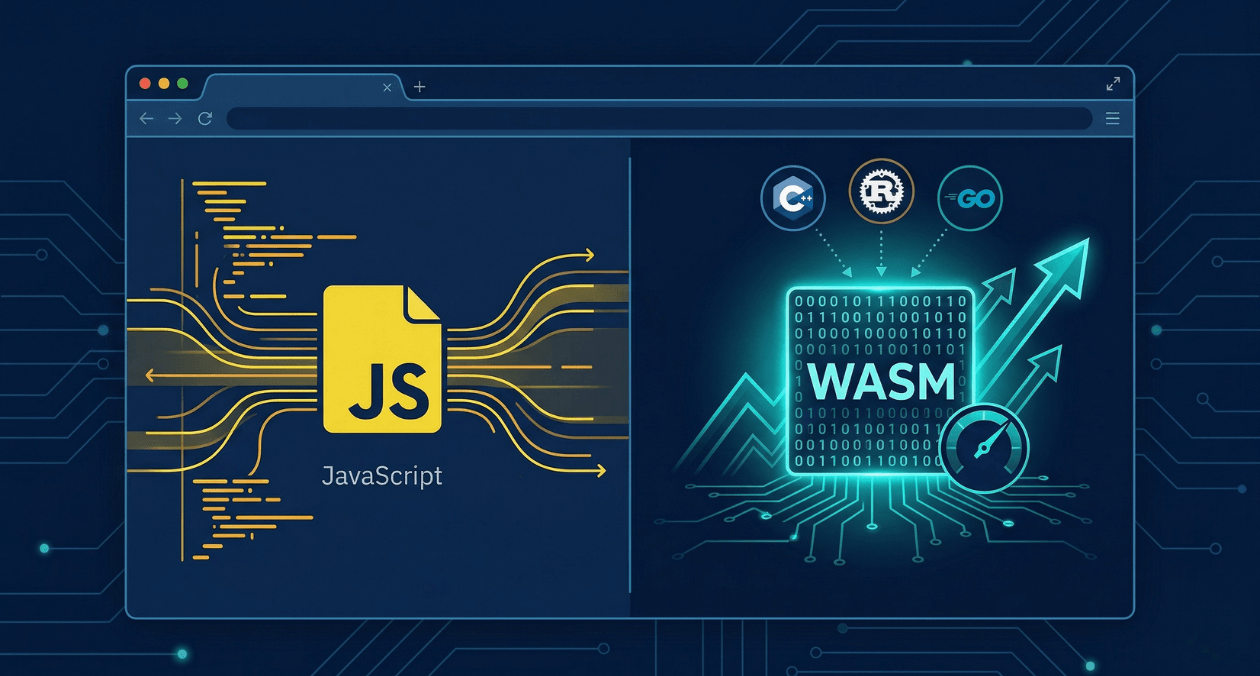
WebAssembly in 2026: Performance, Use Cases and When to Use It in Production
WebAssembly has been in the conversation for nearly a decade, but 2026 is the year more engineering teams are moving it from experimental to...
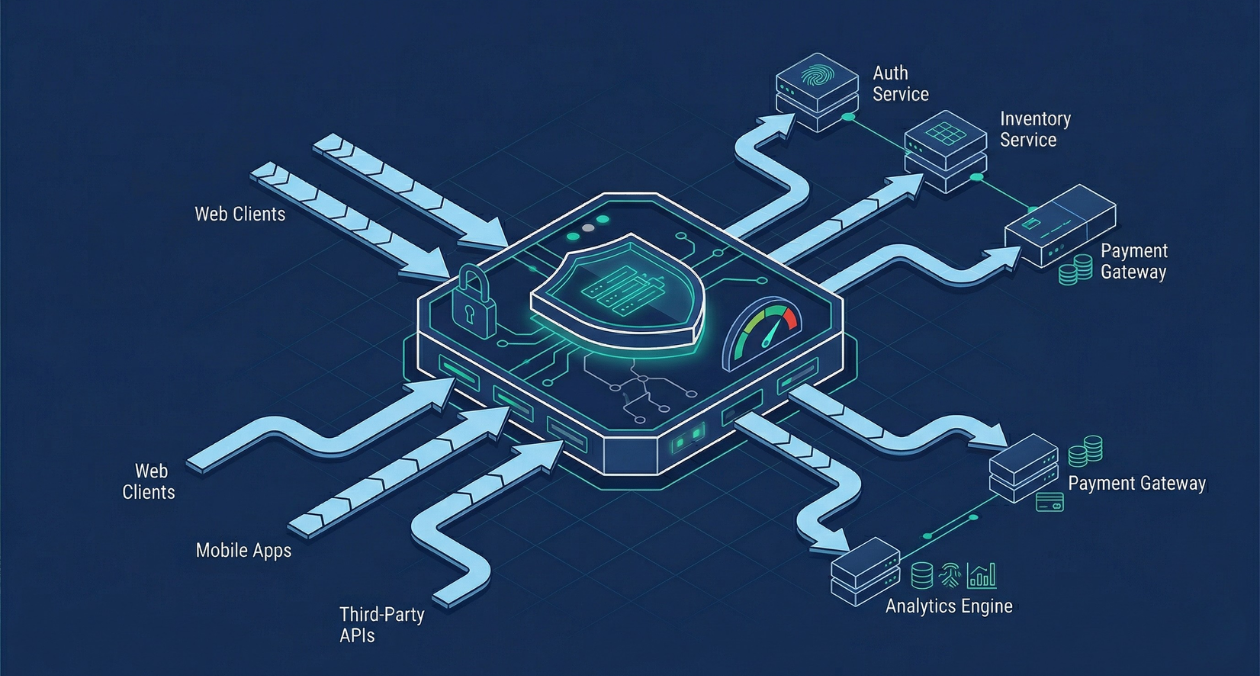
API Gateway Patterns: Rate Limiting, Authentication, and Traffic Management at Scale
An API gateway is where the theoretical neatness of a microservices architecture meets the reality of production traffic. It is the single entry point...
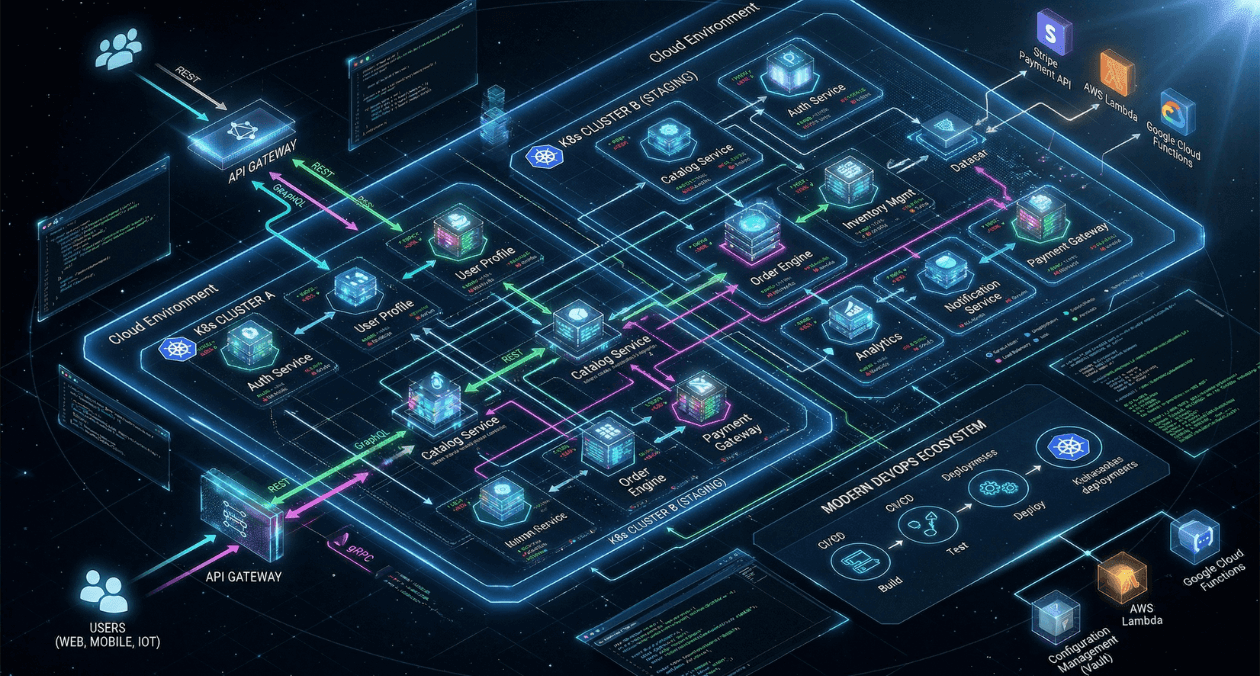
GraphQL vs REST vs gRPC: API Architecture Patterns for Microservices in 2026
Choosing an API style is one of those decisions that compounds over time. Pick the wrong one and you end up fighting the framework...