




TABLE OF CONTENTS
WebRTC and Real-Time Communication: Building Video Chat and Collaboration Features

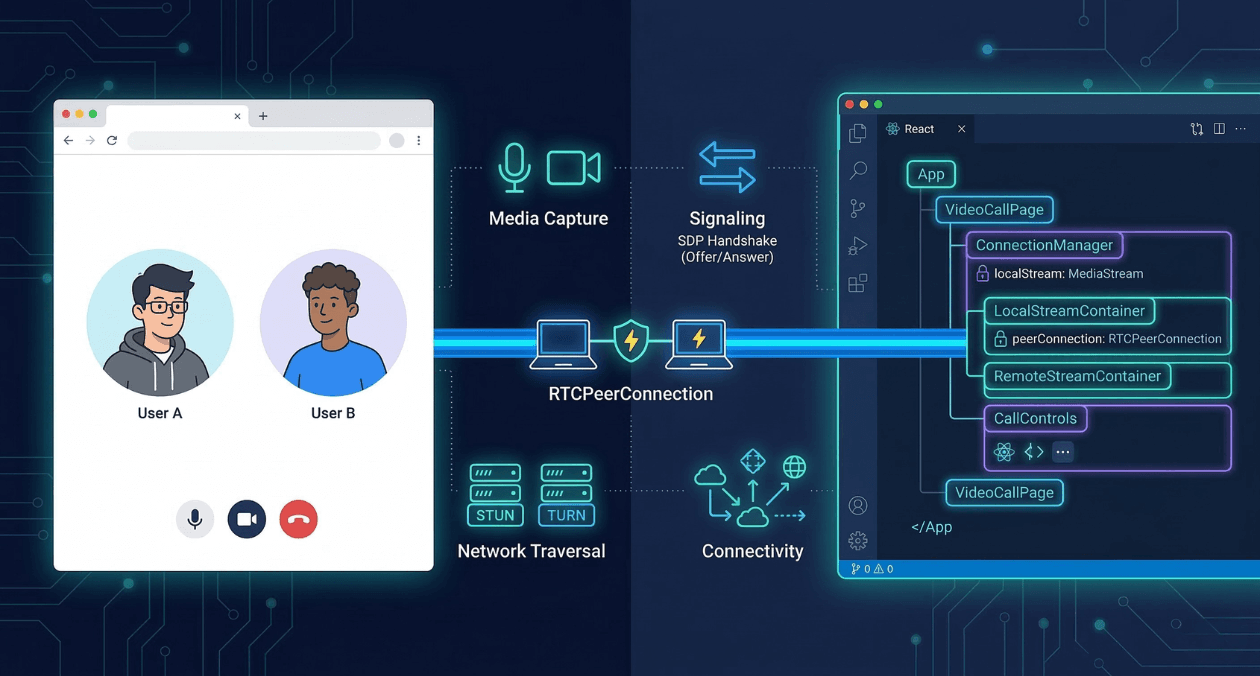
Real-time communication has moved from a premium feature into a baseline expectation. Users want to speak, see, and collaborate without leaving the application they are already using, and product teams are under constant pressure to deliver that experience fast. WebRTC is the technology that makes it possible directly inside a browser or a mobile app, without plugins, without third-party downloads, and without handing your data stream to an intermediary platform.
This guide walks through the architecture, the key APIs, the signaling flow, and the practical implementation decisions you will face when building video chat and collaboration features. Whether you are adding a one-on-one support widget to a SaaS product or building a multi-participant whiteboard session, the fundamentals stay the same.
What WebRTC Actually Does
WebRTC stands for Web Real-Time Communication. It is an open standard supported natively by all major browsers and by React Native through community libraries. The core job of WebRTC is to establish a direct peer-to-peer channel between two clients so that audio, video, and arbitrary data can flow between them in real time with minimal latency and without routing every packet through a central server.
Three browser APIs make up the WebRTC surface area a developer interacts with directly.
| API | What It Does |
| getUserMedia / getDisplayMedia | Captures audio, video, or screen content from the local device |
| RTCPeerConnection | Manages the peer-to-peer connection, codec negotiation, and media transport |
| RTCDataChannel | Sends arbitrary binary or text data over the same peer connection |
These three primitives, combined with a signaling layer you build yourself, are enough to construct fully functional video conferencing, screen sharing, file transfer, and collaborative editing features.
The Signaling Problem and Why WebRTC Does Not Solve It for You
The most common point of confusion for developers new to WebRTC is the signaling layer. WebRTC handles media transport once a connection is established, but two peers that have never communicated cannot discover each other or negotiate connection parameters on their own. That discovery and negotiation must travel through a channel you control, called the signaling server.
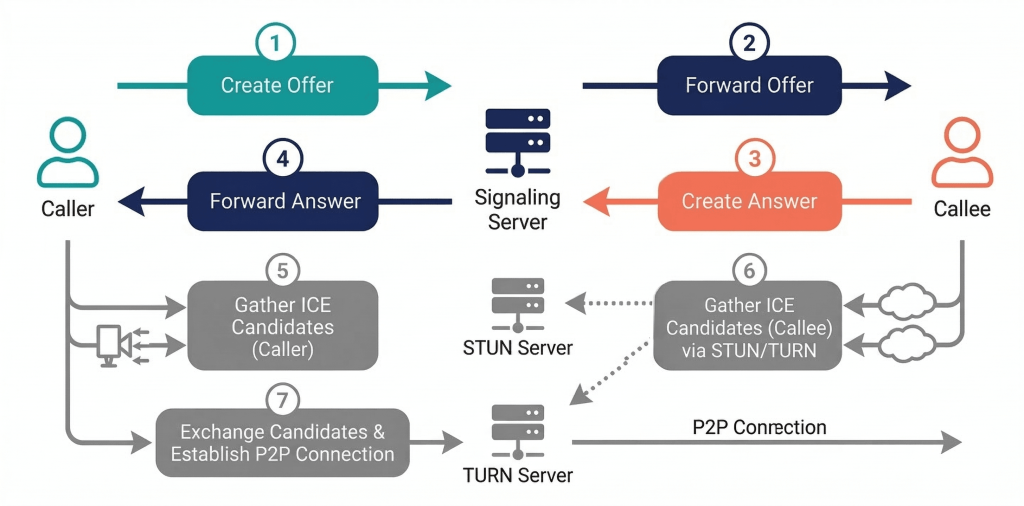
Your signaling server receives an offer from the initiating peer, forwards it to the intended recipient, receives the answer, and relays it back. It also ferries ICE candidates, which are network address candidates the browser discovers as it maps out possible paths between the two clients.
The signaling server does not carry media. It only passes small JSON messages. This means you can build it cheaply using WebSockets over Node.js, a long-polling endpoint in Laravel, or any pubsub service. The protocol is not standardized, which gives you flexibility but also means the implementation is entirely yours to own.
The Connection Setup Flow Step by Step
Understanding the connection flow prevents most of the debugging pain developers encounter when WebRTC calls fail to connect. The sequence looks like this.
- The caller creates an RTCPeerConnection, attaches local media tracks, and calls createOffer, which returns an SDP (Session Description Protocol) blob describing its codec capabilities and network preferences.
- The caller sets this SDP as its local description and sends it to the signaling server.
- The signaling server forwards the offer to the callee.
- The callee sets the received SDP as its remote description, creates an answer with its own capabilities, sets that as its local description, and sends the answer back through signaling.
- The caller receives the answer and sets it as its remote description.
- Both peers independently gather ICE candidates, which are pairs of IP addresses and ports representing possible network paths. Each candidate is sent to the other peer through signaling as it is discovered.
- The ICE agent on each side attempts connectivity checks on the candidate pairs. Once a viable path is confirmed, media begins flowing directly between the peers.
The entire sequence typically completes in under two seconds on a stable connection. Failures at step six, where ICE gathering is incomplete or candidates cannot reach each other, are the most common source of calls that connect on a local network but fail between different networks. This is where STUN and TURN servers become necessary.
STUN and TURN: Solving the NAT Traversal Problem
Most devices do not have a publicly routable IP address. They sit behind a NAT (Network Address Translation) router, which means WebRTC’s ICE agent needs to figure out what the device looks like from the outside internet. A STUN server handles this. The client sends a request to the STUN server, and the server reflects back the public IP and port it sees. The client then includes this as an ICE candidate.
STUN works in the majority of cases. The exception is symmetric NAT, a configuration common in enterprise firewalls and some mobile carrier networks, where the NAT maps each outbound connection to a unique external port. In this case STUN candidates cannot establish a direct path. A TURN server solves this by acting as a relay. Media flows through the TURN server rather than directly peer to peer, which introduces latency but guarantees connectivity.
| Server Type | Role |
| STUN | Discovers the public IP and port of a client behind NAT |
| TURN | Relays media when a direct peer path is not achievable |
| ICE | Orchestrates the process of trying all available candidates in priority order |
For production deployments, self-hosting a Coturn server is the most cost-effective option for teams that handle significant call volume. For lower volume or early-stage products, managed services such as Twilio’s Network Traversal Service or Xirsys provide STUN and TURN capacity without the infrastructure overhead. Google’s public STUN servers are adequate for development testing but are not suitable for production traffic.
Implementing the Peer Connection in the Browser
The RTCPeerConnection constructor accepts a configuration object where you specify your ICE server URLs. After construction, you attach the local media stream and set up event listeners before initiating the offer-answer exchange.
The most important event listeners are onicecandidate, which fires each time a new ICE candidate is gathered and must be sent to the remote peer through your signaling channel, and ontrack, which fires when the remote peer’s media stream arrives and must be attached to a video element to render it.
A minimal but complete peer connection setup in a modern React component follows the pattern of creating the RTCPeerConnection inside a useRef so it persists across renders, attaching the local stream in a useEffect, and exposing functions for initiating and answering calls that the UI layer calls on user action.
For React Native projects, the react-native-webrtc library exposes the same RTCPeerConnection and getUserMedia APIs with an identical interface to the browser, allowing significant code sharing between your web and mobile implementations. The library requires explicit camera and microphone permission declarations in both the iOS Info.plist and the Android AndroidManifest.xml.
Need help building real-time features into your product? Talk to the Askan team.
Media Capture and Track Management
getUserMedia returns a MediaStream containing one or more MediaStreamTrack objects. You will typically request both a video track and an audio track in a single call, but you can request them independently and add them to the peer connection at different times. This matters in applications where you want to join a call muted or join video-only.
Tracks can be replaced on an active connection without renegotiating the entire offer-answer exchange. This is the mechanism behind camera switching, screen share takeover, and switching from front to rear camera on mobile. You call getSenders on the peer connection to find the RTCRtpSender for the track you want to replace, then call replaceTrack on that sender with the new MediaStreamTrack. The browser handles the codec-level substitution transparently.
Screen sharing uses getDisplayMedia rather than getUserMedia. On most browsers this requires a user gesture and presents a system picker for the user to select which screen, window, or tab to share. The resulting track is added to the peer connection the same way a camera track is. When the user stops the share through the system chrome, the track fires an onended event that you must handle to update your application state and notify remote participants.
Scaling Beyond Two Participants
The direct peer-to-peer model works well for one-on-one calls and small groups. As participant count grows, the mesh topology where every participant maintains a direct connection to every other participant becomes impractical. A call with six participants requires fifteen simultaneous peer connections per client, and each connection consumes upload bandwidth for every encoded media stream.
Two server-side architectures address this.
| Architecture | How It Works | Best For |
| SFU (Selective Forwarding Unit) | Each client sends one stream to the server; the server routes it to receivers without transcoding | Groups of 3 to 50 participants, low server CPU cost |
| MCU (Multipoint Control Unit) | Server receives all streams, mixes them into one composite stream, and sends one stream to each client | Large conferences, recording scenarios, limited client bandwidth |
SFUs are the dominant choice for modern video conferencing infrastructure because they minimize server processing costs while preserving individual stream quality. Open-source SFU servers like mediasoup and Janus can be self-hosted. Managed SFU services from providers like Daily, Livekit, and Agora abstract the infrastructure entirely and expose higher-level SDKs that handle the WebRTC complexity on your behalf.
Building Collaboration Features on Top of RTCDataChannel
RTCDataChannel provides a bidirectional data pipe between peers that uses the same underlying DTLS-encrypted connection as the media stream. It supports both reliable ordered delivery (similar to TCP) and unreliable unordered delivery (similar to UDP). The choice matters for collaboration features.
| Use Case | Recommended Mode |
| Chat messages and file transfer | Reliable ordered (maxRetransmits unset) |
| Cursor position and presence indicators | Unreliable unordered (maxRetransmits: 0) |
| Whiteboard strokes | Reliable ordered to preserve drawing sequence |
| Game state updates | Unreliable unordered for low latency |
For collaborative document editing, RTCDataChannel carries the operational transforms or CRDT deltas between participants. The data channel alone does not resolve conflicts; your application layer must implement a merge strategy. Libraries like Yjs and Automerge are designed to work over any transport, including WebRTC data channels, and handle the conflict resolution logic so you can focus on the UI.
Network Adaptation and Quality Control
WebRTC includes built-in congestion control through REMB (Receiver Estimated Maximum Bitrate) and TWCC (Transport-Wide Congestion Control) mechanisms. These cause the encoder to reduce bitrate when network capacity is constrained, which degrades video quality rather than causing dropped frames. The practical result is that a call on a weak connection produces blurry video rather than freezing, which users tolerate better.
You can influence quality decisions explicitly through RTCRtpSender parameters. Setting the maxBitrate on a sender constrains how much bandwidth the encoder requests, which is useful when you know participants are on metered connections or when you need to prioritize screen share fidelity over camera quality.
Simulcast is the technique of sending multiple resolutions of the same video stream simultaneously. An SFU can then forward the appropriate resolution to each subscriber based on their available bandwidth and display size. This produces significantly better quality outcomes in heterogeneous networks where some participants are on gigabit fiber and others are on 4G.
Security Considerations
WebRTC mandates encryption. All media transported over an RTCPeerConnection uses SRTP (Secure Real-time Transport Protocol), and all data channel traffic uses DTLS (Datagram Transport Layer Security). There is no option to send unencrypted media over WebRTC in a compliant browser implementation. This is a significant security advantage compared to custom streaming implementations that developers may have added encryption to as an afterthought.
The areas where WebRTC applications introduce security risk are in the signaling layer and in access control. Your signaling server must authenticate participants before relaying offers and answers between them. Without authentication, any client that can reach your signaling endpoint can initiate calls with other connected clients. If your application handles sensitive conversations, you should additionally consider end-to-end encryption using insertable streams, which allows you to apply custom encryption in a way that even your own infrastructure cannot decrypt.
The signaling server also controls room membership. The logic that decides which offer reaches which recipient is your responsibility. Askan’s web and CMS development services include architectural guidance for WebRTC signaling design as part of broader real-time application engagements.
Testing WebRTC Applications
WebRTC is harder to test than standard request-response APIs because call quality depends on network conditions that are difficult to reproduce in a controlled environment. A few approaches make testing tractable.
For unit testing of the signaling logic, mock the RTCPeerConnection and simulate offer-answer exchanges without involving real media. Jest with manual mocks for the browser’s WebRTC APIs works well for this layer.
For integration testing of actual call establishment, tools like Playwright can automate browser interactions including getUserMedia permission grants. You can run two headless browser instances in the same test process and verify that they successfully exchange media. The getStats API on RTCPeerConnection returns detailed metrics about packet loss, jitter, and bitrate that you can assert against in automated tests to catch regressions in call quality.
For load testing, open-source tools like Loadero and commercial offerings from Testrtc simulate hundreds of concurrent participants to verify that your SFU and signaling infrastructure can handle peak load before you reach it in production.
What the Integration Looks Like on Askan-Built Projects
Askan Technologies builds mobile applications, web applications, and full-stack systems for clients who need real-time communication as part of a larger product. The typical engagement involves evaluating whether a managed WebRTC service fits the client’s scale and budget, or whether a self-hosted SFU with custom signaling is the right choice given data residency requirements or cost at volume.
For products built on Node.js backends, the signaling layer integrates naturally with Socket.IO or native WebSocket support. For Laravel backends, broadcasting via Pusher or Laravel Echo handles the same role. The media plane is independent of the backend language, so teams that want to keep their existing infrastructure for signaling while adopting WebRTC for media can do so without a rewrite.
React Native projects use the react-native-webrtc package which mirrors the browser APIs closely. Expo users need to switch to a development build to include native modules, which is a one-time setup cost. Beyond that, the call logic, ICE handling, and track management code is nearly identical to the web implementation.
Most popular pages

Offline-First Mobile Architecture: Building Apps That Work Without Internet
Most apps are built with the assumption that the internet is always there. Your code fires a request, the server responds, and the interface...
-
Progressive Web Apps in 2026: When PWAs Beat Native Apps for Enterprise
Progressive Web Apps have evolved from experimental technology to enterprise-grade platforms. In 2026, PWAs deliver capabilities that were exclusive to native apps just three...
-
React Native vs Flutter vs Native: The 2026 Mobile Development Decision Matrix
Mobile app development in 2026 presents a critical choice: build once with cross-platform frameworks (React Native, Flutter) or build twice with native tools (Swift/Kotlin)....
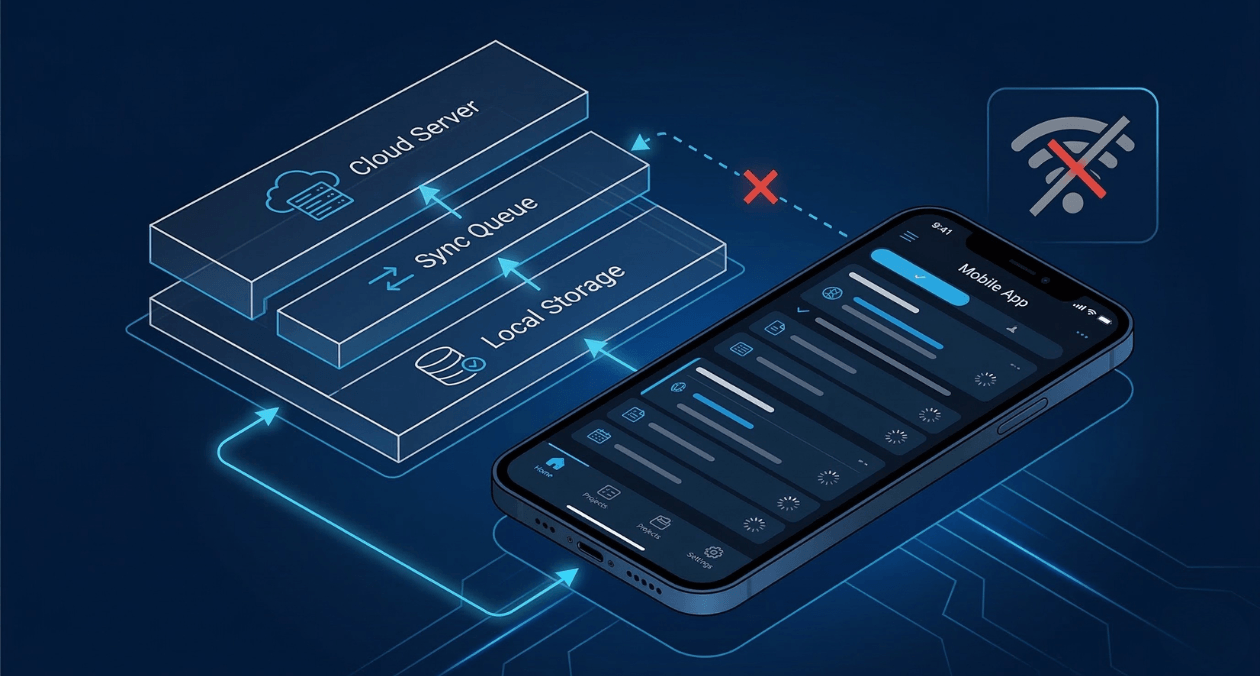
Offline-First Mobile Architecture: Building Apps That Work Without Internet
Most apps are built with the assumption that the internet is always there. Your code fires a request, the server responds, and the interface...

Progressive Web Apps in 2026: When PWAs Beat Native Apps for Enterprise
Progressive Web Apps have evolved from experimental technology to enterprise-grade platforms. In 2026, PWAs deliver capabilities that were exclusive to native apps just three...
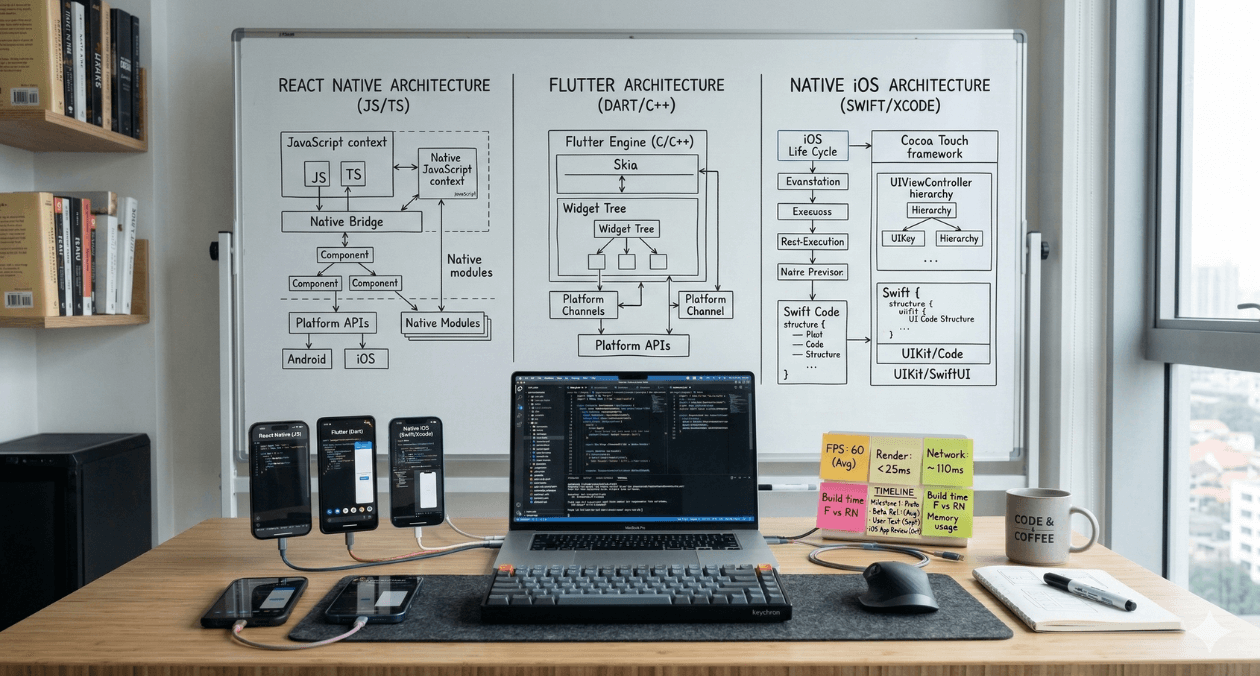
React Native vs Flutter vs Native: The 2026 Mobile Development Decision Matrix
Mobile app development in 2026 presents a critical choice: build once with cross-platform frameworks (React Native, Flutter) or build twice with native tools (Swift/Kotlin)....