




TABLE OF CONTENTS
Feature Flags in Production: Progressive Delivery Without the Risk

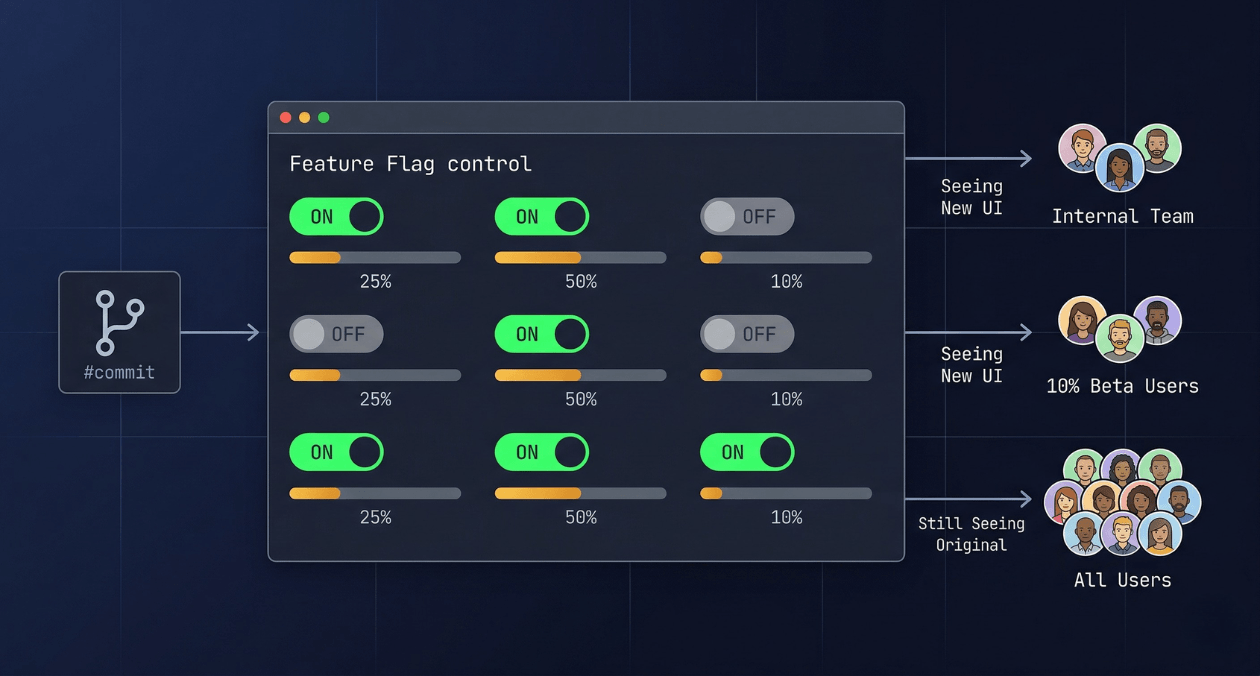
The deploy button used to mean something definitive. You shipped code, users got the new version, and if something broke you scrambled to roll back. That model works fine when a team ships once a month. It becomes increasingly untenable when you are deploying multiple times a day across a distributed system where a rollback takes 15 minutes and a major incident during peak hours costs real money and user trust.
Feature flags are the mechanism that separates code deployment from feature delivery. You ship the code to production in a disabled state, verify that the infrastructure is stable, and then turn the feature on for progressively larger groups of users with a configuration change that takes effect in seconds. If something goes wrong, you turn it off just as fast. No redeployment, no rollback, no incident bridge call at 2 am waiting for a pipeline to finish.
This guide covers how feature flags work at the implementation level, how to categorise and manage them without accumulating technical debt, which tooling options fit different scales, how flags enable A/B testing and canary delivery as first-class engineering practices, and what a production-ready flag system looks like for a team that ships continuously.
What Feature Flags Are and What They Are Not
A feature flag, also called a feature toggle, is a conditional branch in your code whose behaviour is controlled by an external configuration value rather than a code change. The simplest possible implementation is an environment variable check. The most sophisticated implementations involve a real-time evaluation engine that resolves flag values based on user identity, account attributes, percentage rollout rules, and targeting conditions, with the result cached locally and updated via streaming without requiring a service restart.
That gap between the simple and sophisticated versions is where most engineering teams underestimate the discipline required. Feature flags that start as one-line if statements accumulate quickly. Without a clear policy for how flags are named, documented, and retired, a codebase that uses flags heavily ends up with dozens of stale conditionals that nobody dares to remove because nobody is certain which ones are still in use. The flags themselves become a source of technical debt rather than a tool for managing delivery risk.
Understanding the different categories of flags is the first step toward using them in a way that does not create this problem.
| Flag Type | Purpose and Expected Lifespan |
|---|---|
| Release flag | Hides an incomplete or untested feature from production users. Short-lived; should be removed once the feature is fully rolled out. |
| Experiment flag | Routes different user segments to different code paths for A/B testing. Medium-lived; retired once the experiment concludes. |
| Ops flag | Provides a circuit-breaker or kill switch for a feature under load. Potentially long-lived; reviewed periodically. |
| Permission flag | Controls access to a feature based on account tier, subscription, or user role. Long-lived; managed as part of entitlement logic. |
Tracking the type and intended lifespan of every flag at creation time is a practice that pays compound returns. A release flag with a clear removal date on a Jira ticket is fundamentally different in operational risk from a flag that was added two years ago with no documentation and has not been touched since. Flag hygiene starts at the moment the flag is created, not when someone eventually audits the codebase.
How Flag Evaluation Works at Runtime
At the point in your code where a flag is evaluated, the flag SDK makes a decision about which variant to return. In a basic boolean flag, the result is true or false. In a multivariate flag, the result might be a string value like ‘control’, ‘variant_a’, or ‘variant_b’, or a JSON object representing a full configuration set.
The evaluation happens against a set of rules that the flag management system stores and distributes. Those rules might say: return true for 10% of users, determined by hashing the user ID modulo 100. Or: return true for any user whose account plan attribute equals ‘enterprise’. Or: return true for all requests where the X-Beta-Tester header is present. The SDK evaluates these rules locally against the user context you provide at the evaluation call site, without making a network request for each evaluation.
That local evaluation model is what makes flag systems performant enough to use in hot code paths. The flag configuration is streamed to the SDK and held in memory. Updates to flag rules propagate via a persistent connection or polling interval, so a flag that is turned off in the management console reaches every running instance within seconds, not at the next deployment.
The Evaluation Context Object
Every flag evaluation requires a context object that describes the entity being evaluated. For web applications this is typically a user object containing the user ID, account plan, geographic region, and any other attributes your targeting rules reference. For backend services it might be a request context containing the tenant ID and environment. The quality of your targeting rules is directly limited by the richness of the context you provide at evaluation time.
A common implementation mistake is evaluating flags without a user context in code paths that handle unauthenticated requests, which causes every unauthenticated request to fall into the default variant. Handling anonymous users with a stable anonymous identifier, such as a session ID, ensures that percentage rollouts behave consistently even before authentication.
Progressive Rollout: The Core Delivery Pattern
The most frequently used feature flag pattern in continuous delivery is the percentage rollout. You start by enabling a flag for 1% or 5% of users, monitor the metrics that matter for that feature, and increase the percentage in increments if those metrics stay healthy. This is canary delivery implemented at the application layer rather than the infrastructure layer, and it has several advantages over infrastructure-level canary releases.
| Approach | How Canary Is Controlled |
|---|---|
| Infrastructure canary (Kubernetes, service mesh) | Traffic is split at the load balancer or proxy level between two versions of a service |
| Feature flag canary | All traffic goes to the same service version; flag evaluation controls which code path runs per request |
Infrastructure canary requires running two versions of a service simultaneously, which means maintaining two deployments, managing database migrations that both versions can run against, and coordinating the rollback across the infrastructure layer. Feature flag canary keeps the deployment surface simple: one version of the service is running, and the flag controls which path each user takes. The rollback is a flag state change, not a redeployment.
The tradeoff is that infrastructure canary catches problems that exist at the infrastructure level, such as a misconfigured environment variable in the new deployment, while feature flag canary only catches problems in the code path controlled by the flag. In practice, teams that deploy frequently use both: infrastructure canary at the deployment level to catch environment-level issues, and feature flags for controlling user-facing feature exposure within a stable deployment.
Want to implement a feature flag system that fits your team's delivery cadence?
A/B Testing with Feature Flags
A/B testing is the practice of routing a defined subset of users to a different experience and measuring which experience produces better outcomes against a target metric. Feature flags provide the routing mechanism. The measurement requires connecting flag assignment data to your analytics or product instrumentation so that you can correlate which variant a user received with the outcome events they produced.
The key discipline in A/B testing with flags is ensuring consistent assignment. A user who sees variant A on their first session must continue to see variant A on subsequent sessions until the experiment concludes, otherwise the measurement is contaminated. Most flag SDKs handle this through deterministic hashing: the same user ID always hashes to the same bucket, so the assignment is stable across requests and sessions without requiring server-side session storage.
Designing a Clean Experiment
An experiment flag should target one specific metric, called the primary metric, and a small number of secondary guardrail metrics that you monitor to ensure the experiment does not cause harm in areas outside its intended scope. A flag that tests a new checkout flow should have conversion rate as its primary metric and cart abandonment rate and customer support ticket volume as guardrail metrics.
The experiment should run long enough to collect a statistically significant sample before any conclusions are drawn. Stopping an experiment early because the early data looks promising is one of the most common sources of false positive results in product experimentation. The required sample size depends on the expected effect size and the baseline conversion rate, and it should be calculated before the experiment launches, not after the data looks good.
Tooling Landscape: Build vs Buy and What Each Option Costs
The build-vs-buy decision for feature flag infrastructure is more nuanced than it first appears. Rolling your own flag system takes a day to stand up something basic and months to build something that handles percentage rollouts, targeting rules, analytics integration, audit logs, and a usable management UI correctly. Buying a managed service adds a per-seat or per-evaluation cost and an external dependency, but delivers all of those capabilities immediately.
| Option | Best For | Key Consideration |
|---|---|---|
| LaunchDarkly | Teams needing enterprise-grade targeting, audit logs, and SDK support across many languages | Higher cost at scale; best-in-class SDK quality and reliability |
| Unleash (open source, self-hosted) | Teams with infrastructure capability who want full data ownership and no per-evaluation cost | Requires operational maintenance; community SDKs cover most major languages |
| Flagsmith (open source or cloud) | Teams wanting a simpler open-source option with a clean UI and hosted option available | Smaller ecosystem than LaunchDarkly; sufficient for most use cases |
| Homegrown (database-backed) | Very small teams with simple boolean flag needs and no A/B testing requirements | Grows into a maintenance burden quickly; lacks analytics and audit trail |
For teams building on Node.js or React, Unleash is a strong open-source starting point. It provides a server-side SDK, a client-side SDK, a proxy for edge evaluation, a management UI, and a strategy system that covers percentage rollouts, user ID targeting, and custom strategies. Self-hosting Unleash on a small Kubernetes deployment adds minimal infrastructure overhead and gives complete control over flag data without any external API dependency at evaluation time.
Integrating Flags into Your CI/CD Pipeline
Feature flags work best when they are a first-class concept in your delivery pipeline rather than an afterthought. A few integration points make the system significantly more reliable in practice.
Automated Flag Cleanup
Every flag should have a removal ticket created at the same time the flag is created. The ticket links to the flag key, the service it lives in, and the code paths it guards. When a rollout reaches 100% and the feature is stable, the removal ticket is picked up in the next sprint and the dead code is deleted. Without this discipline, flag accumulation is certain.
Some teams use static analysis tools that scan the codebase for flag key references and compare them against the list of active flags in the flag management system. Any flag key found in the code that is not active in the system is flagged as a dead code candidate. This automated check can run in CI and fail a build that introduces a reference to an undefined flag key, which catches typos and stale references before they reach production.
Flag State in Staging vs Production
A common mistake is allowing flag state in staging to drift from production in ways that make staging an unreliable pre-production environment. A new feature that is enabled for all users in staging but only for 5% in production will behave very differently in staging load tests than in production. The safest approach is to treat staging flags as independent from production flags and to explicitly configure the staging environment’s flag state to match the production state you intend to test against.
Flags and Database Migrations
Feature flags that guard code paths touching the database require extra care. If a flag enables a code path that writes to a new database column, the column must exist in the database before the flag is enabled, even at 0% rollout. The deployment of the schema migration and the deployment of the code that uses the new column must be coordinated so that the migration runs first. The flag then provides the safety valve for controlling when the new code path is activated for users, independently of when the schema change lands.
Want to implement a feature flag system that fits your team's delivery cadence?
Flags at the Edge: Client-Side vs Server-Side Evaluation
Flag evaluation can happen on the server before a response is sent to the client, or it can happen in the client after the page has loaded. The choice affects latency, personalisation capability, and the risk of flag state being visible to end users before it is intended to be.
Server-side evaluation is the safer default. The flag is evaluated in your backend service, and the response sent to the client already reflects the correct variant. The user never sees a flash of the wrong variant, and the flag key and targeting rules are never exposed in the client-side bundle. This matters for flags that control security-sensitive features or premium entitlements, where exposing the flag configuration to a technically capable user could allow them to force-enable a flag by manipulating client-side state.
Client-side evaluation is appropriate for flags that control purely visual or non-sensitive UX variations, particularly in single-page applications where round-tripping to a server for every flag evaluation would add unacceptable latency. Client-side SDKs typically operate by fetching a pre-evaluated set of flag values for the current user from a flag proxy or CDN edge node, then making those values available synchronously to the application code. The flag rules themselves are evaluated server-side or at the edge; the client receives only the resulting values for the authenticated user context.
Kill Switches: The Ops Flag Pattern for Production Resilience
An ops flag is a feature flag used not for progressive feature delivery but for rapid incident response. When a specific feature is contributing to degraded performance under load, an ops flag lets an on-call engineer disable that feature for all users within seconds, without a code change or a deployment.
The kill switch pattern requires that the feature guarded by the flag fails gracefully when the flag is off. A kill switch that disables a recommendation engine widget should render the page without the widget, not throw an unhandled exception that breaks the entire page. Implementing graceful degradation is the prerequisite for the kill switch to be useful during an incident when the engineer flipping the flag is under pressure and cannot verify every edge case.
Some teams implement kill switches for every major feature at launch, regardless of whether they expect to use them. The cost of adding the flag and the fallback code path at development time is low. The value of having that kill switch available during the first incident involving that feature is high. This is the same reasoning behind circuit breakers in distributed systems: you add the protection before you need it, because adding it during an incident is not an option.
Measuring Flag System Health
A production flag system should be monitored like any other piece of critical infrastructure. Several metrics matter.
| Metric | What It Tells You |
|---|---|
| Flag evaluation latency (p99) | Whether the SDK’s local evaluation is performing as expected; should be under 1 ms for in-memory evaluation |
| Flag SDK connection status | Whether the SDK’s streaming connection to the flag service is healthy; a disconnected SDK falls back to cached or default values |
| Stale flag count | Number of flags that have been active beyond their intended lifespan; indicates technical debt accumulation |
| Flag error rate | Evaluations returning an error or falling back to the default value unexpectedly; indicates SDK misconfiguration or context issues |
Connecting these metrics to your existing observability stack is straightforward. Most flag SDKs expose hooks or callbacks that fire on each evaluation, which you can instrument to emit custom metrics to Datadog, Prometheus, or your APM of choice. Askan’s DevOps and cloud engineering practice integrates flag system observability as part of broader CI/CD pipeline design engagements, ensuring that flag health is visible alongside deployment metrics in the same dashboards your team already uses.
Governance: Who Controls Flags in Production
As flag usage matures across an engineering organisation, the question of who has permission to change flag state in production becomes important. A flag that controls a major pricing feature or a security-sensitive capability should not be togglable by every engineer on the team without review. Most flag management platforms provide role-based access control that distinguishes between who can create flags, who can change flag targeting rules, and who can enable or disable flags in production.
A practical governance model for a growing engineering organisation separates flags into two tiers. Operational flags, which are emergency kill switches and performance circuit breakers, should be changeable in production by any on-call engineer without approval, because speed matters during an incident. Feature flags controlling user-facing capability changes should require at least one approval from a product manager or engineering lead before the production state changes, which prevents accidental premature exposure of features that are not ready.
Audit logs are non-negotiable for production flag systems. Every flag state change should record who made the change, when, from which IP or identity provider session, and what the previous and new values were. When a production incident correlates with a flag change, the audit log is the first place you look. Without it, the investigation is significantly harder.
Where Feature Flags Fit in a Trunk-Based Development Practice
Feature flags and trunk-based development are complementary practices. Trunk-based development requires that all engineers commit to the main branch frequently, which means incomplete features must be merged in a state where they do not break the build or expose partial functionality to users. Feature flags are the mechanism that makes this safe: the incomplete code is merged behind a disabled flag, the flag remains off until the feature is ready, and the main branch always represents a deployable state.
This approach eliminates long-running feature branches, which are the primary source of painful merge conflicts in teams that deploy infrequently. It also means that every commit to main is a potential production deployment, which is the prerequisite for genuinely continuous delivery. The combination of trunk-based development, a solid CI pipeline, and a mature flag system is what organisations like Google, Facebook, and Etsy have operated at scale for years, and it is increasingly accessible to engineering teams at any size through the tooling options available today. For teams building toward this model, Askan’s platform engineering engagements cover the full delivery pipeline from version control strategy through deployment and flag management.
Most popular pages

Service Mesh Architecture: When Istio and Linkerd Are Worth the Complexity
There is a specific moment in the growth of a microservices platform when the operational questions start arriving faster than the answers. How do...
-
WebAssembly in 2026: Performance, Use Cases and When to Use It in Production
WebAssembly has been in the conversation for nearly a decade, but 2026 is the year more engineering teams are moving it from experimental to...
-
API Gateway Patterns: Rate Limiting, Authentication, and Traffic Management at Scale
An API gateway is where the theoretical neatness of a microservices architecture meets the reality of production traffic. It is the single entry point...
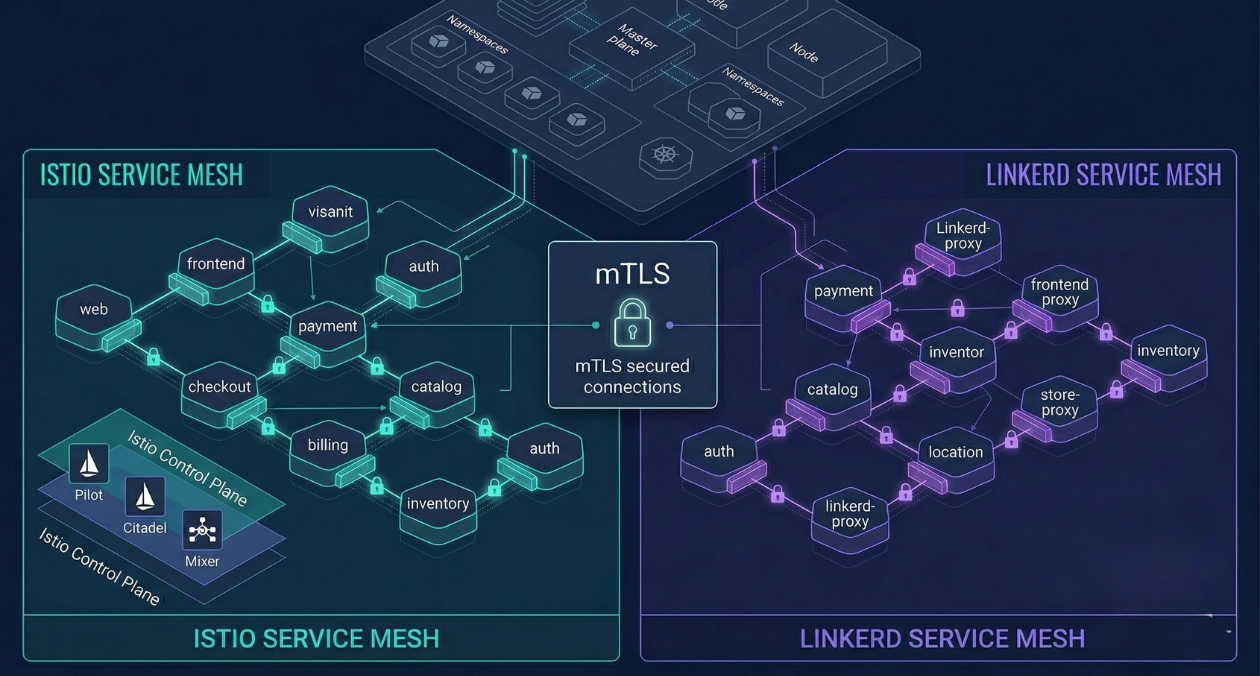
Service Mesh Architecture: When Istio and Linkerd Are Worth the Complexity
There is a specific moment in the growth of a microservices platform when the operational questions start arriving faster than the answers. How do...
WebAssembly in 2026: Performance, Use Cases and When to Use It in Production
WebAssembly has been in the conversation for nearly a decade, but 2026 is the year more engineering teams are moving it from experimental to...
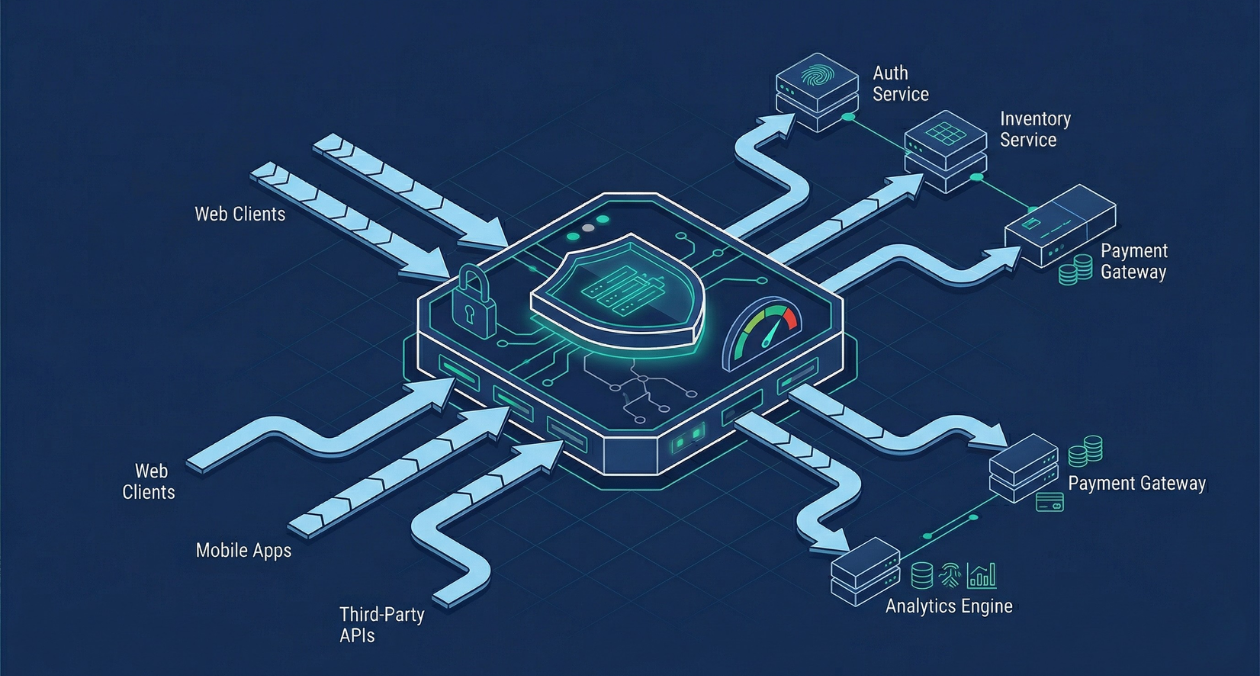
API Gateway Patterns: Rate Limiting, Authentication, and Traffic Management at Scale
An API gateway is where the theoretical neatness of a microservices architecture meets the reality of production traffic. It is the single entry point...