




TABLE OF CONTENTS
Offline-First Mobile Architecture: Building Apps That Work Without Internet

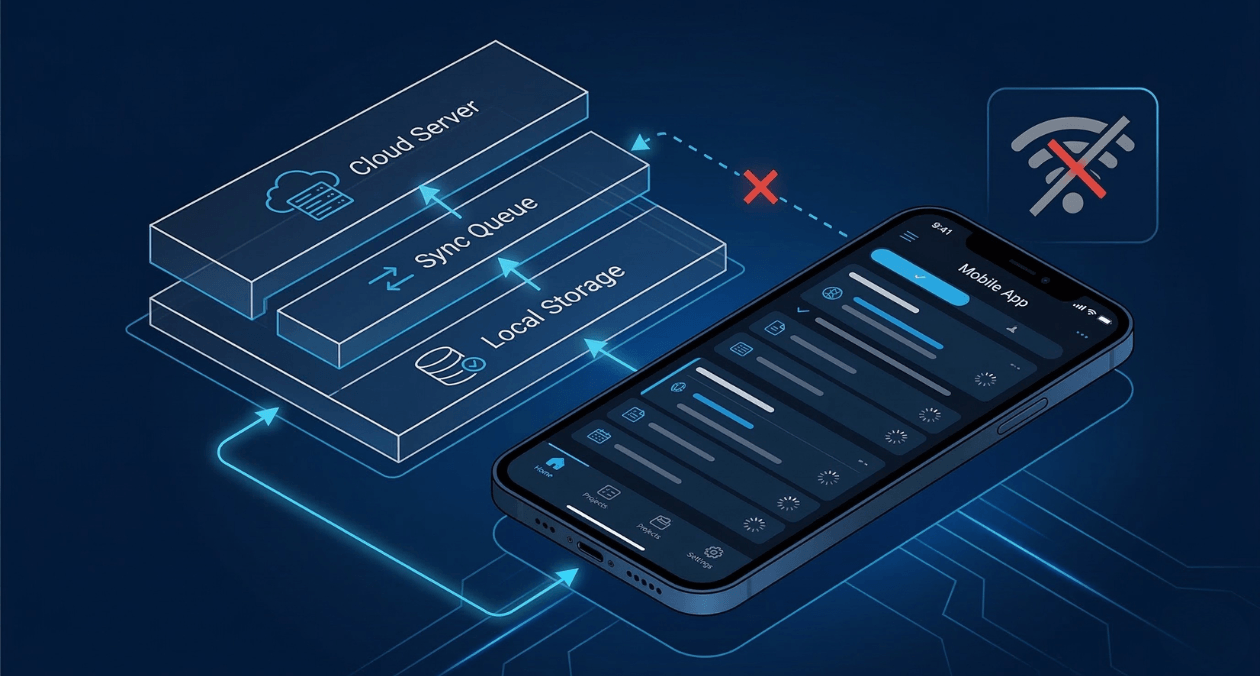
Most apps are built with the assumption that the internet is always there. Your code fires a request, the server responds, and the interface updates. It works perfectly when the connection holds, and it falls apart the moment it does not.
This is the core problem that offline-first architecture solves. Rather than treating connectivity as guaranteed, you treat it as a variable. The app works fully on the device, syncs when the network is available, and never leaves the user staring at a broken screen because of a dropped signal.
For mobile architects and senior developers building for real-world conditions across markets like India, Southeast Asia, or any environment with inconsistent coverage, this is not a nice-to-have. It is a structural requirement.
This guide walks through the architecture decisions, data strategies, sync mechanisms, and progressive enhancement patterns that make offline-first apps reliable in production.
What Offline-First Actually Means
The phrase gets used loosely, so it is worth being precise. An offline-first app operates from local data by default. It reads from a local store, writes to a local store, and syncs with a remote backend when network access is available. The remote server is treated as a replication target, not the source of truth for every user interaction.
This is different from simply caching. A cached app fetches data from the network first and falls back to a cached version when the request fails. An offline-first app inverts this. It reads local data first and pushes updates to the network as a background operation.
The practical difference is significant. Cached apps feel laggy when the network is slow and broken when there is no network. Offline-first apps feel instant in every condition because the user is never waiting for a remote server to respond during normal usage.
| Approach | Connectivity Dependency | User Experience |
| Network-first | High | Breaks without connection |
| Cache-first (fallback) | Medium | Stale data, limited offline use |
| Offline-first | Low | Works fully in all conditions |
Core Components of an Offline-First Architecture
Local Data Store
Every offline-first app needs a reliable local database. The choice of storage layer depends on the platform and data complexity.
On React Native, SQLite via the react-native-sqlite-storage library handles relational data well, while WatermelonDB adds a reactive layer on top of SQLite for better performance with large datasets. For document-style data, Realm or AsyncStorage with structured serialization works cleanly.
On Flutter, Hive or Isar are popular choices for local persistence. Both are lightweight, schema-driven, and perform well on low-end Android devices, which matters if your app targets markets where flagship hardware is not the norm.
The local store is not a cache. It is the primary store. Every read in the application goes to local data first.
Sync Engine
The sync engine is where most of the architectural complexity lives. It is responsible for pushing local changes to the server and pulling remote changes down to the device while resolving any conflicts that arise.
A sync engine typically involves three components: an outbound queue that holds mutations waiting to be pushed, an inbound processor that applies incoming changes to the local store, and a conflict resolver that handles cases where the same record was modified in two places.
The sync engine runs in the background, independently of the UI. The user should not be aware it is running unless you explicitly surface sync status, which is good practice.
Conflict Resolution Strategy
Conflicts happen when a user edits a record offline and the same record is modified on the server before the sync occurs. How you resolve this depends on the domain.
Last-write-wins is the simplest approach. Whichever version has the more recent timestamp overwrites the other. It is acceptable for most non-collaborative use cases. For shared data, you need something more sophisticated.
CRDTs, or Conflict-free Replicated Data Types, are a class of data structures that can be merged deterministically without coordination. They work well for collaborative features like shared documents or real-time inventory. Libraries like Automerge and Yjs implement CRDT-based sync that handles offline editing across multiple users without data loss.
For most business applications, a field-level merge strategy where each field is tracked independently with its own timestamp performs well and is easier to implement than full CRDTs.
Building an Offline-First Mobile App? Let Askan Technologies Architect Your Solution
Sync Strategies in Practice
Push-Based Sync
In push-based sync, the app sends changes to the server whenever a write occurs. If the network is unavailable, the change is queued and pushed when connectivity returns. This model is simple, predictable, and works well for apps where the server state is essentially derived from device actions.
Pull-Based Sync
In pull-based sync, the app periodically requests updates from the server. A common implementation uses a server timestamp. The app stores the timestamp of the last successful sync and requests all records modified after that point. This is efficient and avoids transferring unchanged data.
Pull-based sync requires the server to maintain a reliable modification timestamp on every record. This is a constraint worth enforcing from the beginning of the data model design.
Bi-Directional Sync
Most real applications need both. Users write data on the device, and the server also generates changes that the device needs to receive. The sync engine must handle both directions without creating duplicate writes or overwriting valid remote data with stale local data.
Tools like Firebase Realtime Database, Supabase with real-time subscriptions, and CouchDB with PouchDB replication provide this capability out of the box at different levels of control and complexity.
| Sync Strategy | Best Used For |
| Push-based | Action-driven apps, forms, logging |
| Pull-based | Content consumption, dashboards |
| Bi-directional | Collaborative tools, shared records |
Progressive Enhancement for Mobile Offline Patterns
Progressive enhancement in this context means building the base functionality to work entirely offline and layering network-dependent features on top as enhancements rather than requirements.
A practical example: a field service app for logging maintenance records. The base functionality, creating, editing, and viewing records, works entirely from local storage. The enhanced functionality, syncing with the central server, attaching photos, or triggering notifications, happens when the network is available. The app is fully useful to the technician even in a basement with no signal.
Design the user flow around the base functionality. Do not gate primary actions behind network calls. Network-dependent operations should be clearly marked in the UI so users understand what is pending and what is confirmed at the server level.
Handling Local Storage Thoughtfully
Local storage on mobile is not unlimited, and databases that grow without bounds cause performance problems. You need a data retention strategy from the beginning.
- Define a maximum local record count per entity type and prune older records automatically after sync confirmation
- Store full data only for recently accessed records and use summary objects for older entries
- Allow users to clear local data manually with a clear explanation of what will be lost versus what is safe to sync back
- Track storage usage and surface a warning before the device gets close to its limits
On Android, SQLite does not enforce strict size limits, but devices with limited storage will throw errors unpredictably if you do not manage growth. On iOS, the OS may purge app storage under storage pressure if the data is not flagged as user data. This is a critical consideration when storing records users depend on.
Building an Offline-First Mobile App? Let Askan Technologies Architect Your Solution
Testing Offline Behavior Thoroughly
Offline behavior is one of the most commonly under-tested aspects of mobile development. The happy path is always tested. The offline path usually is not, until a user reports it.
A few practices that improve offline test coverage:
- Use Android Studio’s network emulation or the iOS Network Link Conditioner to simulate poor connectivity and disconnection during automated tests
- Write integration tests that explicitly disconnect the network, perform write operations, reconnect, and verify that sync completes correctly
- Test conflict resolution scenarios by simulating concurrent edits from two different devices before the sync runs
- Verify that the UI accurately reflects pending, syncing, and synced states so users are never uncertain about whether their data is saved
The Flutter integration_test package and Detox for React Native both support simulating network conditions programmatically, making it practical to include offline scenarios in your CI pipeline.
Tools and Libraries Worth Knowing
The ecosystem for offline-first mobile development has matured considerably. A few tools stand out for production use:
| Tool | Platform | Primary Use |
| WatermelonDB | React Native | High-performance SQLite with reactive queries |
| Realm | React Native / Flutter | Object database with built-in sync option |
| Isar | Flutter | Fast local NoSQL with Dart-native queries |
| PouchDB + CouchDB | React Native (web) | CRDT-friendly bi-directional sync |
| Supabase Realtime | Cross-platform | Postgres-backed real-time sync |
For teams building on React Native, the combination of WatermelonDB for local storage and a custom sync engine against a REST or GraphQL backend gives the most control. For teams that want managed sync infrastructure, Realm with Atlas Device Sync or Firebase Firestore with offline persistence handles much of the complexity automatically.
The open-source Electric SQL project is also worth watching. It provides Postgres-compatible local-first sync for mobile and web, with conflict resolution built on CRDTs. You can read more about its approach in their technical documentation at electric-sql.com.
If you are evaluating mobile development frameworks for a new project, the comparison between React Native, Flutter, and native development covered in our earlier guide on mobile development decision frameworks provides a useful reference for choosing the right foundation before adding offline capabilities.
Architecture Pattern Summary
Bringing this together into a reusable pattern:
- The device holds a full local store that is always readable and writable without network access
- Every write to the local store is appended to an outbound mutation queue
- A background sync engine drains the queue when connectivity is available
- Incoming server changes are applied to the local store through an inbound processor
- Conflicts are resolved deterministically using timestamps or CRDT semantics depending on data type
- The UI reflects the local state at all times and surfaces sync status as a secondary indicator
This pattern applies whether you are building a field service app, a logistics tracker, a healthcare records tool, or any application where data integrity matters more than network availability.
Building an Offline-First Mobile App? Let Askan Technologies Architect Your Solution
Most popular pages
-

Choosing Between REST and GraphQL for Your Next API
REST and GraphQL both solve the same underlying problem, letting a frontend fetch and modify data from a backend, but they approach it with...
-
Magento to Headless: Signs Your Store Has Outgrown Monolith
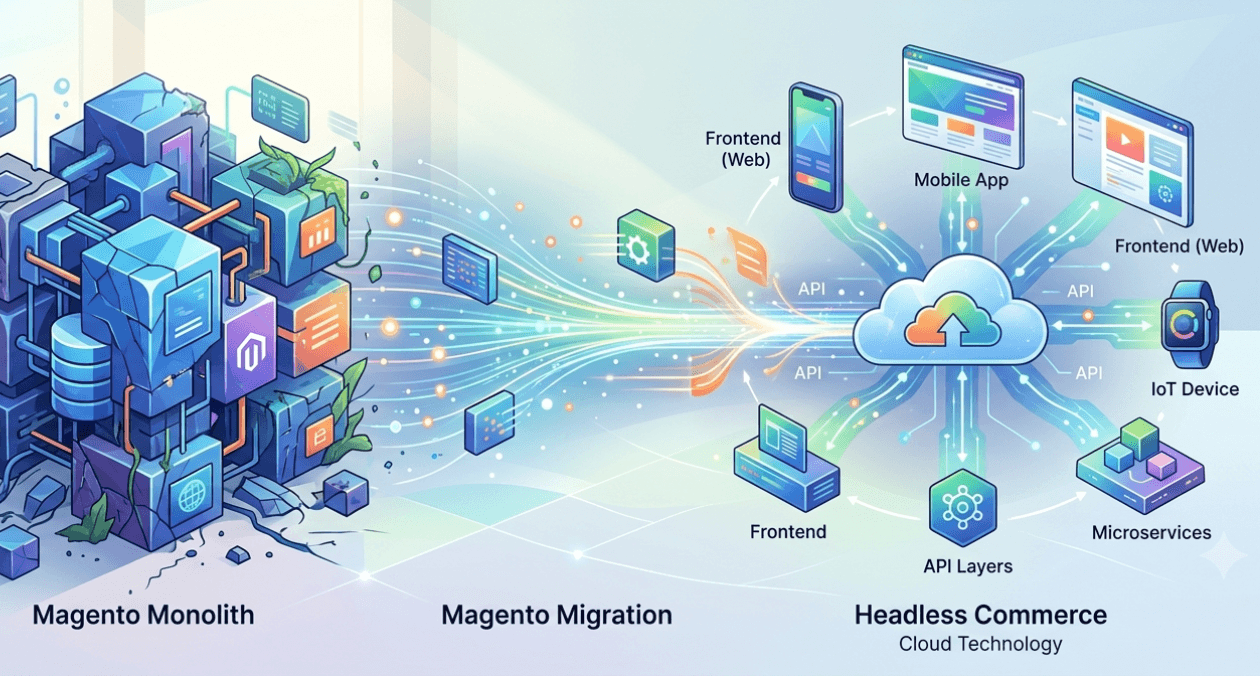
Magento to headless migration conversations tend to start reactively, usually after a specific frustration, a slow page load, a blocked feature request, or a...
-

AMP Pages in 2026: Is It Still Worth Implementing
The question of is amp still worth it 2026 comes up regularly from publishers and SEO teams who adopted AMP years ago and are...
Choosing Between REST and GraphQL for Your Next API
REST and GraphQL both solve the same underlying problem, letting a frontend fetch and modify data from a backend, but they approach it with...
Magento to Headless: Signs Your Store Has Outgrown Monolith
Magento to headless migration conversations tend to start reactively, usually after a specific frustration, a slow page load, a blocked feature request, or a...
AMP Pages in 2026: Is It Still Worth Implementing
The question of is amp still worth it 2026 comes up regularly from publishers and SEO teams who adopted AMP years ago and are...